Email order updates get lost in spam folders. Orderchirp sends them where people actually read: Telegram.
For your customers
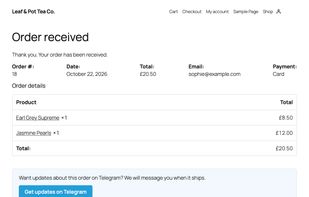
• A “Get updates on Telegram” button on the order received page, in the order email and in My Account.
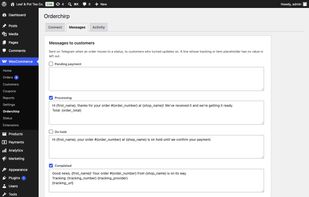
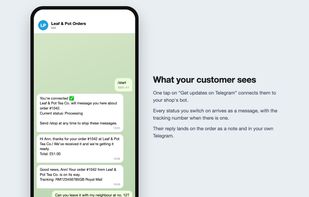
• One tap opens your shop’s bot. From then on they get a message whenever their order changes status: received, completed (with the tracking number when a tracking plugin added one), cancelled, refunded – you choose which statuses and write the text.
• They can reply. The reply is added to the order as a note and forwarded to you.
• They send /stop at any time and the messages stop.
For you
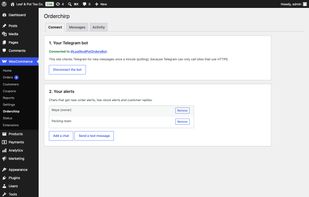
• An alert on Telegram for every new order, with the items and the total.
• Low-stock and out-of-stock alerts.
• An Activity page that shows every message sent and received.
Built properly
• Uses your own Telegram bot (free from @BotFather) – messages come from your shop’s name, not ours.
• Works with the block checkout and with WooCommerce’s order storage (HPOS).
• Messages are sent in the background, so a slow network never slows down your checkout. If Telegram asks to slow down, Orderchirp waits exactly as long as asked.
• Works on sites without HTTPS too: Orderchirp then checks for messages once a minute instead of using a webhook.
• Personal data export and erasure through the WordPress privacy tools.










No comments or reviews, maybe you want to be first?