OptionV icon
OptionV icon

OptionV

Press Option +V to access everything you've ever copied — instantly.
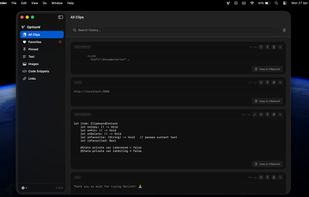
App Full Window View - Dark Mode

Cost / License

  • Free
  • Proprietary

Platforms

  • Mac  [https://www.optionv.app/installation](https://www.optionv.app/installation)
App Full Window View - Light Mode
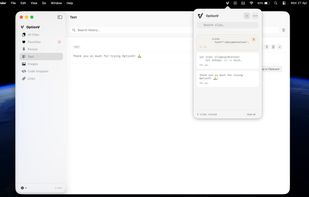
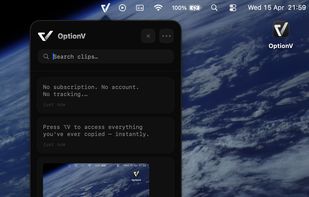
Menubar View
+1
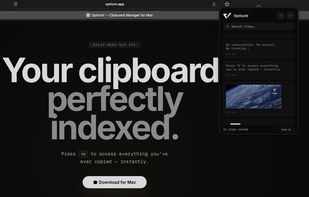
Menubar View 2
0likes
0comments
0alternatives
0articles

Features

Properties

  1.  Lightweight
  2.  Privacy focused
  3.  Support for Themes

Features

  1.  Dark Mode
  2.  No registration required
  3.  Ad-free
  4.  No Tracking
  5.  Works Offline
  6.  Full-Text Search
  7.  Sits in the MenuBar

OptionV News & Activities

Highlights All activities

Recent activities

OptionV information

  • Developed by

    PL flagOptionV
  • Licensing

    Proprietary and Free product.
  • Alternatives

    0 alternatives listed
  • Supported Languages

    • English

AlternativeTo Category

Office & Productivity
OptionV was added to AlternativeTo by Batuhan Yildirim on and this page was last updated .
No comments or reviews, maybe you want to be first?

What is OptionV?

macOS only remembers the last thing you copied. OptionV fixes that.

Press Option + V from anywhere on your Mac and your full clipboard history appears instantly. Search through clips, pin the ones you need, and copy back with a single click.

Built natively with Swift & SwiftUI — it feels like a part of macOS, not a third-party tool bolted on. Opens in under 50ms, uses minimal CPU, and sits invisibly in your menu bar until you need it.

100% Private Nothing leaves your Mac. No cloud sync, no account required, no analytics, no tracking. Your clipboard is your business.

Requires macOS 13 Ventura or later.