





OpenNoteTaker
Like
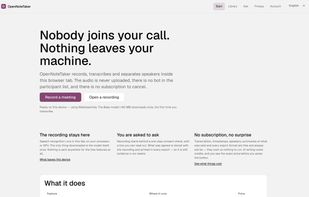
Most AI note takers send a bot into the meeting. It shows up in the participant list, someone has to admit it, and the audio is uploaded to the vendor's servers. OpenNoteTaker takes a different route: it records the audio already playing in your browser tab, together with...

Cost / License
- Freemium
- Open Source (MIT)
Platforms
- Online
- Google Chrome
- Microsoft Edge


Features
Highlights All activities
OpenNoteTaker News & Activities
Recent activities
- opennotetaker added OpenNoteTaker
 opennotetaker added OpenNoteTaker as alternative to Otter.ai, Granola, Fireflies.ai, Meetily and 3 more

Developed by
 Kelly
Kelly Licensing
Open Source (MIT) and Freemium product.Pricing
free version with limited functionality.Alternatives
7 alternatives listedBadge
Get an embeddable badge for OpenNoteTakerSupported Languages


No comments or reviews, maybe you want to be first?