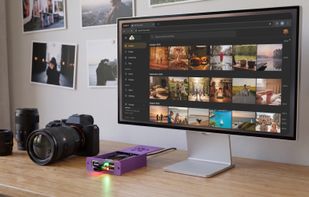
Off The Cloud turns a small device in your home into your own NAS, and this app keeps your Mac's folders backed up and in sync with it. Your files live on hardware you own, encrypted at rest, running open-source software you can read. No cloud account holding your data, no subscription for storage.
BUILT FOR PEOPLE WHO CARE WHERE THEIR DATA LIVES
• Files are stored encrypted on your device (AES-GCM) and mirrored on two disks (RAID 1)
• Your device password stays in the macOS Keychain and never crosses the network in the clear
• At home the app connects to your device directly over your own network, and accepts only your device's own pinned certificate
• Away from home it goes through our relay over TLS. The relay stores none of your files, and you can run your own relay instead
• Device updates are signed, and your device checks the signature before installing anything
• Open source (AGPL): the device software and the apps are on GitHub, so you can check what they do
• Separate accounts for family or flatmates on the same device, each with its own storage, database and password, and its files encrypted with that password
THREE WAYS TO SYNC A FOLDER
• Backup: new and changed files go up, nothing is ever deleted on the device, and earlier versions are kept
• Two-way, starting from your Mac or from the device: the folder stays the same on both sides, across several computers
• A guard against mass deletion: if a large part of a folder disappears at once, the other side keeps its copy
• Conflicts keep both versions: the losing edit is saved next to the winning one
• File dates are kept on both sides
A QUIET MENU BAR APP
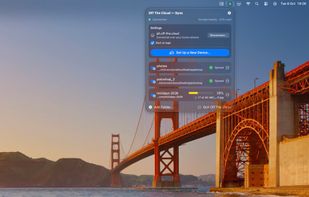
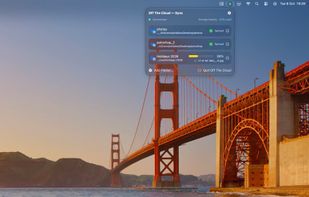
• Sync progress and the health of your device's mirrored disks at a glance, with storage, CPU and memory
• Can start at login, if you choose
• Set up a new device from your Mac: it downloads the signed image, checks it, opens it in Raspberry Pi Imager, and finishes the setup over Bluetooth
WHAT YOU NEED
An Off The Cloud device: a Raspberry Pi with two disks running the open-source Off The Cloud software. Everything you need to build one is at off-the.cloud. The same device also backs up your iPhone's photos with the Off The Cloud iPhone app.






 EU
EU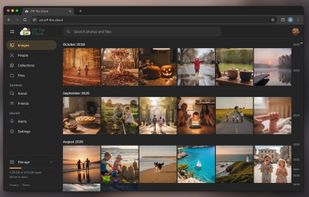




 Alonso Vidales

No comments or reviews, maybe you want to be first?