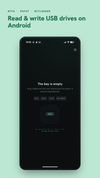
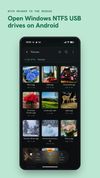
NTFS Reader is a read AND write USB drive file manager for Android. Read and write NTFS, exFAT and FAT32 external hard drives, SSDs and USB flash drives, directly on your phone or tablet - copy and upload files onto the drive, create folders, rename, move and delete, with no root and no computer. Plug in through a USB-C or USB-OTG adapter. No account. No ads. (Full read AND write of exFAT and FAT32 - including exFAT/FAT32 drives locked inside BitLocker - is completely FREE. Reading NTFS is free too; NTFS write unlocks with a single one-time in-app purchase.)
Windows formats most external drives as NTFS, while cameras, drones, SD cards and portable SSDs use exFAT or FAT32 - and Android can't reliably read or write any of them on its own. NTFS Reader fixes that with its own filesystem engines and its own USB storage stack, without rooting your device.
WORKS WITH
- NTFS external hard drives, SSDs and USB flash drives (read + write; NTFS write is a one-time in-app unlock)
- exFAT USB drives and portable SSDs (read + write, free)
- FAT32 USB drives, flash drives and SD cards in a reader (read + write, free)
- SD cards and microSD through a USB card reader (read + write on exFAT and FAT32, free)
- BitLocker To Go encrypted USB drives, with NTFS, exFAT or FAT32 inside (read + write; NTFS-inside write uses the same one-time unlock, exFAT/FAT32 inside is free)
- Multi-partition drives and drives larger than 2 TB
- USB-C phones and tablets, and USB-OTG adapters
- Your phone's own storage too: internal storage and a built-in SD card (browse, copy, move, rename, delete)
Note: storage plugs in over USB / OTG; for the phone's built-in SD slot, use Android's own file manager.
exFAT AND FAT32 ARE FULLY READ + WRITE, FREE
No purchase needed: create folders, rename, move, delete, and copy or upload files onto any exFAT or FAT32 drive, SSD or SD card, straight from your phone. This includes exFAT and FAT32 volumes locked inside BitLocker - unlock them with your password or recovery key and read AND write them, free, exactly like an unencrypted drive. Writes are crash-safe: a mid-write disconnect leaves the drive recoverable, never silently corrupted.









No comments or reviews, maybe you want to be first?