


NoteMagician
A secure, offline note and calendar app that works the way software used to: simple, private, and completely under your control.
Cost / License
- Pay once or Subscription
- Proprietary
Platforms
- Windows

NoteMagician
Features
Properties
- Privacy focused
- Lightweight
Features
- Spell Checking
- No Coding Required
- Reminders
- Form Builder
NoteMagician News & Activities
Recent activities
 leerjet added NoteMagician as alternative to Microsoft OneNote
- leerjet added NoteMagician

NoteMagician information
What is NoteMagician?
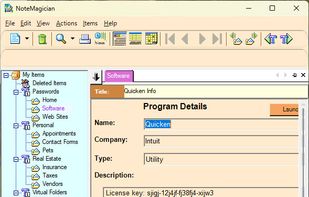
NoteMagician is a simple yet powerful application that can keep track of all your “random” pieces of information that you never want to forget, yet often seem to lose track of where you might have written it down. Besides simply keeping a record of your random facts, NoteMagician offers a wide variety of helpful features to help you organize and keep track of passwords, appointments, important websites, and even custom-designed forms you can use for things like consulting time expended, recipes, contacts, etc.
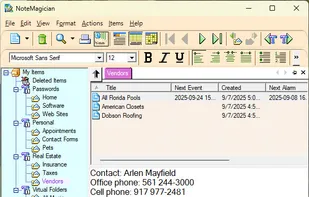
The extensive reminder system forms the basis for a complete calendar of things you want to remember. The package is quite inexpensive and does NOT require and online or cloud storage. Data is saved locally and securely, with various ways to backup and restore your data.
NOTE: This is strictly a Windows desktop application that can be thought of as a significantly more capable alternative to Microsoft's One Note.