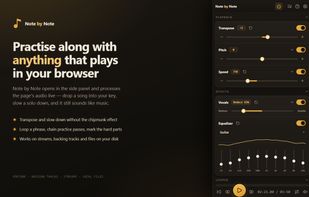
Note by Note turns any audio or video playing in your browser into a practice tool. It opens in the side panel and processes the page's audio in real time, so you can drop a song into your instrument's key, slow a solo to half speed without the chipmunk effect, and loop four bars until they stick. YouTube lessons, backing tracks, streamed albums, or an mp3 on your own disk — if it plays in the browser, you can practise along with it.
Pitch and speed: transpose +/-12 semitones (+/-36 with extended range), fine-tune in cents, or pin playback to a reference pitch such as 415 Hz. Speed runs from 25% to 200% and leaves pitch exactly where it is. Pitch shifting and time stretching come from the Rubber Band Library's realtime R3 engine, compiled to a WebAssembly AudioWorklet.
Practice structure: drop markers on the timeline, loop between any two points, and add a count-in. Save any loop as a snippet, then chain snippets into a sequence — play the solo four times at 50%, then three times at 75%, then twice at full speed, hands-free.
Sound: a vocal reducer (STFT centre-cut) pushes the centre-panned voice down so the band comes forward, or inverts it to isolate the vocal. A 10-band EQ with saveable presets leans the mix toward guitar, bass, drums or vocals.
Chords: optional chord and key detection runs a machine-learning model over the audio, entirely on your machine, and draws a chart under the timeline.
Markers, loops, snippets and effect settings are saved per track against the page URL, so reopening a video brings your practice setup back with it. Favourites and recent tracks live in a library tab, and cross-device sync is optional.
No accounts, no telemetry, no analytics, no ads. Audio never leaves your device — every effect runs locally in your browser. Free software under the GPL; the complete source, including the audio engine, is on GitHub.
Requires Chrome 116+ or Firefox 140+.







 Paliejj added Note by Note as alternative to Amazing Slow Downer, Loopero and PaulStretch


No comments or reviews, maybe you want to be first?