Note Bridge icon
Note Bridge icon

Note Bridge

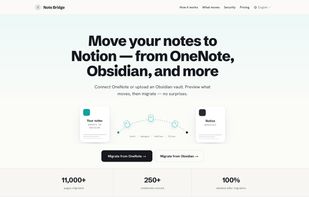
Note Bridge is a data migration software designed for knowledge workers who need to transfer their entire OneNote library into Notion without losing any content. It's a web application, not a desktop tool or a browser extension.
Note Bridge screenshot 1

Cost / License

  • Freemium (Pay once)
  • Proprietary

Platforms

  • Online
  • Software as a Service (SaaS)
Note Bridge screenshot 1
Note Bridge screenshot 2
+1
Note Bridge screenshot 3
0likes
0comments
0alternatives
0articles

Features

Properties

  1.  Privacy focused

Features

  1. LaTeX icon  Support for LaTeX
  2.  No Tracking
  3.  No Coding Required
  4.  Ad-free
  5.  Cloud Sync
  6.  Hierarchical Structure
  7. Notion icon  Notion Integration
  8.  Note organization
  9. Obsidian icon  Obsidian Integration
  10.  Data export/import

Note Bridge News & Activities

Highlights All activities

Recent activities

Note Bridge information

  • Developed by

    TW flagEnsky Lin
  • Licensing

    Proprietary and Freemium product.
  • Pricing

    One time purchase (perpetual license) ranging between $9 and $79 + free version with limited functionality.
  • Alternatives

    0 alternatives listed
  • Supported Languages

    • English
    • Chinese
    • Japanese
    • Korean
    • French
    • German
    • Spanish

AlternativeTo Category

Office & Productivity
Note Bridge was added to AlternativeTo by ensky on and this page was last updated .
No comments or reviews, maybe you want to be first?

What is Note Bridge?

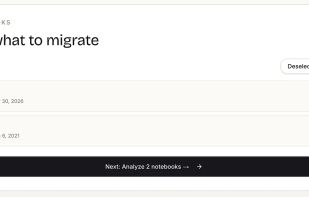
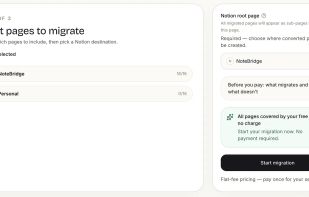
Note Bridge is a data migration software designed for knowledge workers who need to transfer their entire OneNote library into Notion without losing any content. It's a web application, not a desktop tool or a browser extension. Users sign in with their Microsoft and Notion accounts, scan their notebooks, and see exactly what will be moved and the associated cost. The migration runs in the background, with an email notification sent upon completion.

The software was created to address the limitations of existing free migration routes, which work well for small notebooks but falter when dealing with larger scales. Notion's zip import, for example, is limited to 5MB on the free plan. Meanwhile, the Obsidian Importer is subject to Microsoft Graph API rate limits, lacks a progress bar, and can take hours to process a 1500-page notebook.

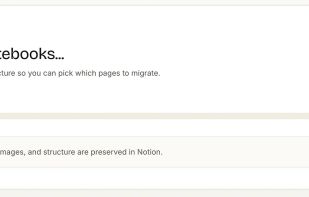
Note Bridge is able to preserve a range of content that other tools may overlook. This includes notebook, section, and page hierarchies, images, PDFs, tables, audio attachments, ink drawings rendered to SVG, LaTeX equations, and arbitrary file attachments. It utilizes the Microsoft Graph API to read OneNote and the official Notion API to write.

Pricing is tiered based on the total page count of a single migration. The tiers are: Free for up to 20 pages, Personal for $9 up to 200 pages, Pro for $29 up to 1,500 pages, Power User for $79 up to 5,000 pages, and a custom Business tier for 5,000+ pages. The pricing scales smoothly between tiers, ensuring users only pay for what they need. Additionally, an empty-delivery auto-compensation system refunds credits for any page that arrives empty in Notion.

Note Bridge is listed on the official Notion Integration Gallery and is available in eight languages. It is best suited for heavy OneNote users with 200+ pages who cannot afford to lose any content.

Official Links