Split group expenses without the pain.
Ninja Tab helps friends track shared costs, scan receipts, split items, convert currencies and settle up with fewer payments.
Whether it’s a holiday, night out, restaurant bill, weekend trip or house share, just stick it on the Tab.
Track shared expenses in seconds:
- Record who paid
- Choose who had what
- Split equally or customise by person
- Keep everything organised in one shared tab
Scan receipts and split items:
For messy restaurant bills and group meals, Ninja Tab can help turn receipts into itemised expenses.
- Scan a receipt
- Extract items automatically
- Assign items to different people
- Split shared dishes, extras and tip
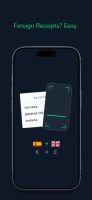
- Translate foreign receipt items automatically
- Convert to your home currency
Ideal for restaurants, bars, holidays and large group bills.
Built for group travel:
Track expenses in different currencies and convert them into one settlement currency, so everyone can see fair totals without doing exchange-rate maths.
Perfect for holidays, weekend trips, hostels, ski trips, festivals and travel with friends.
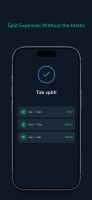
Settle up in fewer payments
When the trip is done, Ninja Tab calculates a simpler way to settle.
- See who owes who
- Reduce the number of transfers
- View clear final balances
- Mark repayments as paid
Private and focused
- No ads
- No social feed
- No subscription
Your tabs stay private to your group
Why use Ninja Tab?
Ninja Tab is designed for real group spending: mixed bills, itemised meals, foreign receipts, shared extras, uneven splits and people who do not want to do maths on holiday.
Stop doing the maths. Stick it on the Tab.









 Tab Ninja



No comments or reviews, maybe you want to be first?