Nibit icon
Nibit icon

Nibit

A productivity app for Android with snippets, voice dictation, AI text transforms, clipboard history, and cross-device push.
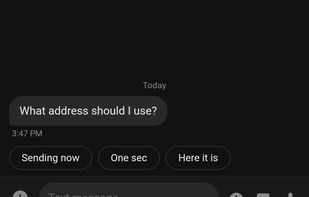
Snippets / Text Expansion

Cost / License

  • Freemium (Pay once or Subscription)
  • Proprietary

Platforms

  • Android
1like
0comments
0articles

Features

Properties

  1.  Privacy focused

Features

  1.  No registration required
  2.  Cloud Sync
  3.  Ad-free
  4.  Autocompletion
  5.  Works Offline
  6.  Dark Mode
  7.  Text Expansion
  8.  AI-Powered
  9.  Snippets
  10.  AI Writing
  11.  Speech to text
  12.  Voice dictation

Nibit News & Activities

Highlights All activities

Recent activities

Nibit information

  • Developed by

    US flagCrouton Creations
  • Licensing

    Proprietary and Freemium product.
  • Pricing

    One time purchase that costs $99, and / or subscription ranging between $3 and $6 per month + free version with limited functionality.
  • Alternatives

    11 alternatives listed
  • Supported Languages

    • English
Nibit was added to AlternativeTo by CroutonCreations on and this page was last updated .
No comments or reviews, maybe you want to be first?

What is Nibit?

Nibit is a productivity app for Android that brings Raycast-style power to your phone. It runs as a secondary keyboard alongside Gboard, SwiftKey, or whatever you already use - switch to it when you need a superpower and it automatically switches you back when you are done.

What Nibit does:

  • Snippets: expand short triggers into longer text, with dynamic placeholders for dates, clipboard contents, cursor position, custom arguments, and more.
  • Smart voice dictation: speak instead of type, with rewrite levels that clean up filler words and self-corrections into polished text. You ramble, we give you clean, sendable text.
  • AI transforms: rewrite, summarize, translate, or reformat selected text from any app. Create your own for even more flexibility.
  • Clipboard history: searchable history with smart chips for links, numbers, and other detected content.
  • Quick links: save and open parameterized URLs straight from the keyboard or quick hub.
  • Cross-device push: send text, links, images, and files between your phone, your Mac (via the Raycast companion), the web, and your other devices, end to end encrypted.

Migrating from another tool? Nibit imports your existing snippets, so the time you invested elsewhere ports over. It works with CSV exports from Texpand and Typing Hero, and with Raycast's JSON export.

Nibit is a free download. Paid tiers unlock unlimited on-device use (Local Pro) and cloud features like dictation, AI transforms, and cross-device sync (Cloud Pro).

Nibit Videos

Official Links

