
Next Tab — Right-Click URLs
Like
Select text, right-click, open any URL. Free custom right-click links with variables and JSON sharing — no paywall, no AI bloat.
Cost / License
- Free
- Proprietary
Platforms
- Google Chrome

+1

Next Tab — Right-Click URLs
Like
Features
No features, maybe you want to suggest one?
Next Tab — Right-Click URLs News & Activities
Highlights All activities
Recent activities
- poroto20 added Next Tab — Right-Click URLs
poroto20 added Next Tab — Right-Click URLs as alternative to Trufflepiggy - Context Search, Trufflepiggy - Quick Search, Selection Search and Swift Selection Search
Next Tab — Right-Click URLs information
No comments or reviews, maybe you want to be first?
What is Next Tab — Right-Click URLs?
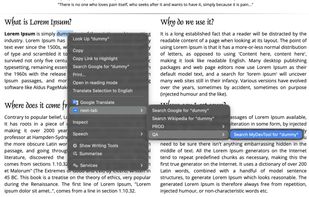
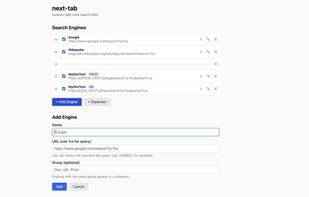
Next Tab turns text selection into action. Select text on any page, right-click, and open any URL with that text injected — search engines, log viewers, API tools, admin panels, dashboards, or anything with a URL.
Built as a free, no-paywall alternative to Context Menu Search. Next Tab does one thing well: custom right-click links.
Features:
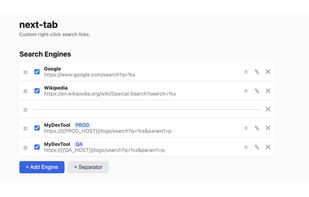
- Add any URL with %s as the selected text placeholder — not just search engines
- Organize links into groups (submenus like QA, Prod, Dev) — free, no premium tier
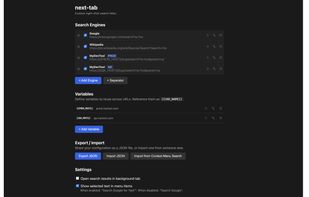
- Define global variables ({{QA_HOST}}, {{PROD_HOST}}) to reuse across URLs — change once, update everywhere
- Enable/disable individual links without deleting them
- Drag to reorder
- Clone links and variables
- Export/import your full config as JSON — share with teammates
- Import directly from Context Menu Search (migrate your existing setup)
- Syncs across your Chrome instances automatically
- Respects system dark mode
- No accounts, no servers, no tracking