digiCamControl icon
digiCamControl icon

digiCamControl

A DSLR camera remote control open source software Features:

  • Control you camera remotely from your computer via USB
  • Trigger image capture via release button on camera body or remotely from your computer.
  • Handhold the camera, shoot, and have the resulting images displayed on.
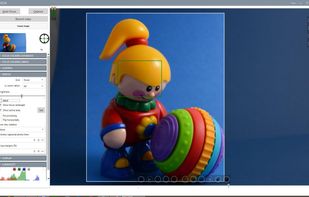
digiCamControl screenshot 1

Cost / License

  • Free
  • Open Source

Platforms

  • Windows
22likes
0articles
Save

Features

Features

Highlights All activities

digiCamControl News & Activities

Recent News

No news, maybe you know any news worth sharing?

Share a News Tip

Recent activities

digiCamControl information

AlternativeTo Category

Social & Communications

GitHub repository

  •  733 Stars
  •  239 Forks
  •  133 Open Issues
  •   Updated  
View on GitHub

Our users have written 1 comments and reviews about digiCamControl, and it has gotten 22 likes

digiCamControl was added to AlternativeTo by dukus on and this page was last updated .

Comments and Reviews

   
mikkeldupontolesen
-1

This is the best software to capture and live view from almost all Nikon dslr cameras on the market. i realy like the software. There is only one thing that could be better if they made a mac version.

Review from a new or low-activity account — shown here, but not counted in the app rating.

Featured in Lists

Things I've Contributed Information To On Here

NOT ALL OF THESE I USE OR ENDORSE Mainly for my own tracking, but it can double up as a "portfolio" for people who care lmao Some of these apps may still have my edits waiting for approval.
By ICTman107641 appsUpdated

Official Links

Install from the command line

  • winget install -e --id dukus.digiCamControl

Be careful what you paste into a terminal. Check what a command installs before running it.

What is digiCamControl?

A DSLR camera remote control open source software Features:

  • Control you camera remotely from your computer via USB
  • Trigger image capture via release button on camera body or remotely from your computer.
  • Handhold the camera, shoot, and have the resulting images displayed on the computer monitor.
  • Bracketing with an arbitrary number of shutter speed or exposure value
  • Use the advanced intervalometer to create a series of timelapse images and generate timelapse video.
  • Manage multiple profiles
  • Histogram & photo metadata view
  • Review in full screen
  • Manage camera presets (saved camera settings)
  • Webserver (using smart phone or any device which support web browser to control application functions)
  • Multiple camera support, you can control multiple connected camera in same time, like capture photos in same time or one by one

