Narrator: Audiobook Maker icon

Narrator: Audiobook Maker

Turn ePub, PDF, and text files into audiobooks with natural-sounding AI voices.
Narrator: Audiobook Maker screenshot 1

Cost / License

  • Freemium (Subscription)
  • Proprietary

Platforms

  • iPhone  The app is on iOS 15+
  • iPad  The app is on iOS 15+
0likes
0comments
0articles

Features

Properties

  1.  Privacy focused

Features

  1.  No registration required
  2.  Dark Mode
  3.  No Tracking
  4.  Text to Speech
  5.  Ad-free
  6.  Works Offline
  7.  AI-Powered
  8.  Audio Books

Narrator: Audiobook Maker News & Activities

Highlights All activities

Recent activities

Narrator: Audiobook Maker information

  • Developed by

    UA flagMykola Mylashko
  • Licensing

    Proprietary and Freemium product.
  • Pricing

    Subscription ranging between $4 and $5 per month + free version with limited functionality.
  • Alternatives

    6 alternatives listed
  • Supported Languages

    • English
    • Chinese
    • French
    • German
    • Japanese
    • Korean
    • Portuguese
    • Spanish
Narrator: Audiobook Maker was added to AlternativeTo by flowing-bytes on and this page was last updated .
No comments or reviews, maybe you want to be first?

What is Narrator: Audiobook Maker?

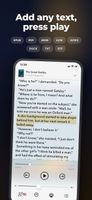
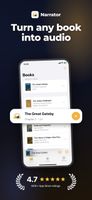
Narrator can read ePub books, PDF and text files with natural sounding voices.

Upload your e-books and listen while walking, driving or just when you want your eyes to rest.

Alternatively, you can convert your e-book to a compact audio file in a few minutes.? Feature list:

  • Listen to books and text files
  • Choose between many languages and voices
  • Supported formats: ePub, txt, rtf, docx, pdf
  • Convert e-book to .m4a audio file?
  • Share created audiobooks with friends & colleagues

Value your time: Listen to books while walking to save your time or make walk more enjoyable. Listen while reading for better memorization.

Notes: Narrator includes an optional premium subscription. This is offered on a monthly or annual basis. If you choose to purchase a subscription your payment will be charged to your iTunes account. Subscriptions will automatically renew unless canceled within 24-hours before the end of the current period. You can turn off auto-renewal at any time by going to your Account Settings on the App Store after purchase.

Privacy Policy: https://telegra.ph/Privacy-Policy-05-31-17

Official Links