





MyHalftone
Like
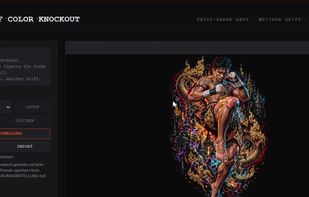
Browser-based DTF tool that removes shirt colours selected by preset or eyedropper and converts transitions into adjustable halftone dots. It enhances low-resolution artwork, removes borders, crops designs, and exports transparent PNGs at 300 or 600 DPI. Processing stays local, with no subscription.

Cost / License
- Pay once
- Proprietary
 EU
EUPlatforms
- Mac
- Windows
- Linux


Features
Highlights All activities
MyHalftone News & Activities
Recent activities
 Danilo Venom added MyHalftone as alternative to AI Separations and Separation Studio
- Danilo Venom updated MyHalftone
- derAue added MyHalftone
 derAue added MyHalftone as alternative to Comimi and CoRe


Developed by
 MyHalftone
 Licensing
Proprietary and Commercial product.Pricing
One time purchase (perpetual license) that costs $115.Alternatives
2 alternatives listedBadge
Get an embeddable badge for MyHalftoneSupported Languages

No comments or reviews, maybe you want to be first?