


MultitrackStudio
MultitrackStudio is a full-featured audio/MIDI multitrack recording software. It combines a multitrack recorder, a mixer, lots of effects and a MIDI sequencer in one package: everything that's needed to turn your computer into a digital multitrack music recording studio.

Cost / License
- Freemium (Pay once)
- Proprietary
Application types
 EU
EUPlatforms
- Mac
- Windows
- iPad


Features
- Virtual Instrument
- Music Sequencer
- Digital Audio Workstation
- Music Recording
- Piano Roll
- MultiTrack
- Mix Music
Tags
MultitrackStudio News & Activities
Recent activities
 boardy-music added MultitrackStudio as alternative to Boardy Music
 Danilo_Venom added MultitrackStudio as alternative to Suno Studio
 POX added MultitrackStudio as alternative to KiraStudio
 kayronnmonteiro added MultitrackStudio as alternative to Jampea
 emelem added MultitrackStudio as alternative to Yadaw
 POX added MultitrackStudio as alternative to Melodic Mind
 POX added MultitrackStudio as alternative to openDAW
- Naes-Project liked MultitrackStudio
 OpenSourceSoftware added MultitrackStudio as alternative to Fender Studio


MultitrackStudio information
Developed by
 Bremmers Audio Design
 Licensing
Proprietary and Freemium product.Pricing
One time purchase (perpetual license) ranging between $69 and $119 + free version with limited functionality.Alternatives
42 alternatives listedSupported Languages
- English


Featured in Lists
Good digital audio workstations are not cheap but startling changes in the world of audio software have brought to the …

Compose music on the go with these mobile audio workstations, music studios in your pocket. This list is comprised of …
What is MultitrackStudio?
MultitrackStudio is a full-featured audio/MIDI multitrack recording software. It combines a multitrack recorder, a mixer, lots of effects and a MIDI sequencer in one package: everything that's needed to turn your computer into a digital multitrack music recording studio.
FEATURES:
Audio Recording Audio tracks can be recorded while playing along with previously recorded ones.
MIDI Recording MIDI tracks can be recorded using a MIDI keyboard. You can also use the computer keyboard or even a touchscreen. Instrument sounds can be generated by the General MIDI compatible MultitrackStudio Instruments or external MIDI hardware like a keyboard. VSTi/AUi plugins can be used as well.
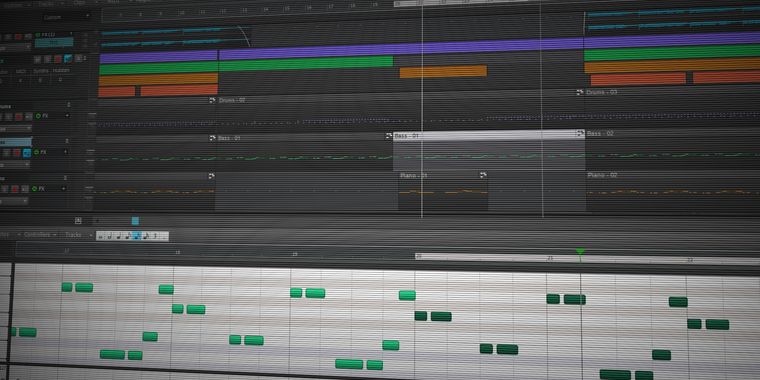
Editing Both audio and MIDI tracks can be edited to get rid of any mistakes. The MIDI editing features include pianoroll, notation, drum and pattern editing.
Mixing The powerful mixer structure includes an unlimited number of Effect Return and Group sections, numerous built-in high quality effects and VST/AU plugin support. The Pro edition features automation and powerful sidechaining options.
Mastering Finally you can mix all tracks down to a single audio file. You can import this file in your CD-writer software and burn your music to CD.
Ease of use MultitrackStudio proves that multitrack recording using a DAW (Digital Audio Workstation) can be as easy as tape-based recording. Its well thought out design makes it easy to use, and yet powerful. If you like singing and playing your instruments better than trying to figure out some complicated piece of software you'll feel right at home recording in MultitrackStudio!