


PDFChef
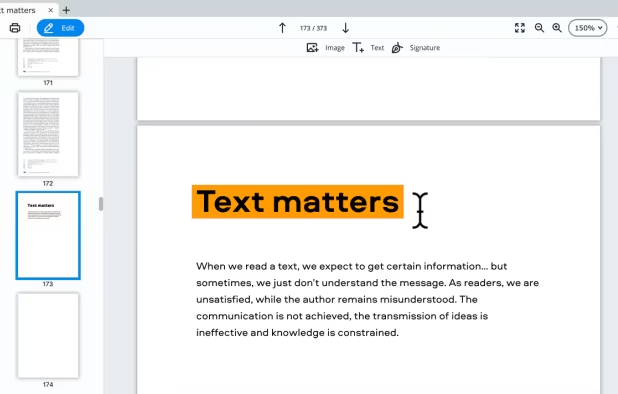
PDFChef enhances document management with cross-platform support on PC, Mac, iOS, and browsers. It offers text-editing, page rearranging, conversion tools, and cloud-based sharing. Supporting various file formats, it also enables users to add signatures directly to PDFs for swift document finalization.
Cost / License
- Freemium (Pay once or Subscription)
- Proprietary
Application types
 EU
EUPlatforms
- Mac
- Windows
- Online


Features
- Split PDF files
- Create PDF files
- Convert PDF to Text
- Convert PDF to Word document
- Document Merging
- Convert PDF to Excel document
Tags
PDFChef News & Activities
Recent News
Recent activities
 PicShift added PDFChef as alternative to PDFEditor.onl
 victorAtSilentEditor added PDFChef as alternative to Silent Editor
 DevSoftwareMail added PDFChef as alternative to PDF Reader - Editor, Scan & TTS
 kikyoh-choh added PDFChef as alternative to ShelfStream
 Maaz-Sohail added PDFChef as alternative to Free PDF Editor
 swiss added PDFChef as alternative to ZeroUploadPDF
 kodekenobi added PDFChef as alternative to Trevnoctilla
 OrdinaryPerson added PDFChef as alternative to ComposePDF Pro


PDFChef information
Developed by
 Movavi
 Licensing
Proprietary and Freemium product.Pricing
One time purchase that costs $34, and / or subscription that costs $2 per month + free version with limited functionality.Alternatives
52 alternatives listedSupported Languages
- English
AlternativeTo Category
Office & Productivity


Featured in Lists

Movavi Software make intuitive, yet powerful software for Windows and Mac users as well as provide people with …
What is PDFChef?
PDFChef by Movavi is a versatile software for easy document management across various platforms, including PC, Mac, iOS devices, and browsers. It includes cloud storage for easy access to files from anywhere and shared access for collaborative projects. Users can perform various routine tasks related to PDFs securely, such as adding and editing text, inserting and resizing images, and modifying pages. The software offers a trial version for users to explore its full functionality. It supports files from various applications and provides conversion capabilities, allowing users to convert PDFs to and from different formats. PDFChef also enables users to add a signature image directly to the PDF for quick document finalization.