





Mouser
3 likes
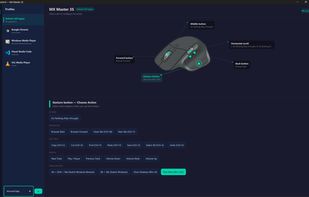
A lightweight, open-source, fully local alternative to Logitech Options+ for remapping Logitech HID++ mice. The current best experience is on the MX Master family, with early detection and fallback UI support for additional Logitech models.

Cost / License
- Free
- Open Source (MIT)
Application type
Platforms
- Windows
- Mac

Features
Highlights All activities
Mouser News & Activities
Recent activities
- Ben liked Mouser
- Wierzciu liked Mouser
 Memoreus added Mouser as alternative to Logi Options+
- Paul added Mouse Remapping as a feature to Mouser
It is a work in progress On windows using the bolt dongle, my MX Master 4 already works with Mouser with the exception of the action ring button. It does take at least 60 seconds before the mouse is detected. A new UI layout specifically for the MX Master 4, due to the change in location of the gesture button and the new action ring button, needs to be added along with the ability to remap the action ring button.
Also, there are limited support for devices other than MX series and there are...
- niksavc liked Mouser
- tomyan112 added Mouser

Developed by
TomBadashLicensing
Open Source (MIT) and Free product.Written in
Alternatives
2 alternatives listedBadge
Get an embeddable badge for MouserSupported Languages

AlternativeTo Category
DevelopmentGitHub repository
- 5,289 Stars
- 204 Forks
- 137 Open Issues
- Updated
Comments and Reviews
It is a work in progress On windows using the bolt dongle, my MX Master 4 already works with Mouser with the exception of the action ring button. It does take at least 60 seconds before the mouse is detected. A new UI layout specifically for the MX Master 4, due to the change in location of the gesture button and the new action ring button, needs to be added along with the ability to remap the action ring button.
Also, there are limited support for devices other than MX series and there are no keyboard support. This means user still needs to use logi option+ for their devices.