MockHop is a focused tool for capturing webpages and turning them into annotated mockups, design reviews, and bug reports.
CAPTURE
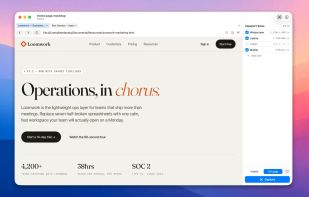
• A built-in browser pane lets you load any URL and capture it at one or many viewport sizes — Widescreen, Laptop, Tablet, Mobile, or anything you define.
• Choose Visible (what's on screen) or Full Page (the entire scrollable document) per shot.
• Capture every active viewport size in one click; results land on the annotation canvas labeled by breakpoint.
• Drop images and screenshots directly onto the canvas from anywhere on your Mac.
ANNOTATE
• Arrows, lines, rectangles, ellipses, callouts, prohibition crosses, and free-floating text all live on an infinite zoomable canvas.
• Numbered note cards with attached leader arrows for review walkthroughs.
• Snap-to-edges alignment with visible guides; hold ? during a drag to bypass.
• Option-drag to leave a copy behind. Cmd-+/- and pinch zoom around the selected object.
EXPORT
• Export the whole canvas as a PNG, copy it to the clipboard for paste into Figma, Slack, or email, drag it out as a file, or share it via the system share sheet.
• Save annotated documents as .mockhop files — each one preserves the captured pages, the canvas state, and your edit history.






No comments or reviews, maybe you want to be first?