What is Mnemo?
Mnemo is a desktop study app for notes, flashcards, mind maps and progress tracking. It keeps those tools together without taking ownership of your work.
Your notes and study data live on your machine. Mnemo has no accounts and no tracking. By default, it makes a request to GitHub Releases when it starts to check for updates. You can turn this off in Settings > Updates. Mnemo sends no account or analytics data with that request.
No ads. No accounts. No tracking. Local by default.
Built for studying
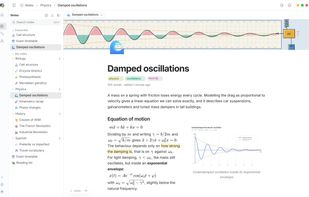
Notes use a block editor built for long documents, with rich text, math, code, images, callouts, columns, page links, tabs, find and replace, and a draggable note tree. Notes export to Markdown, portable .mnemo packages, or PDF through a bundled Typst compiler.
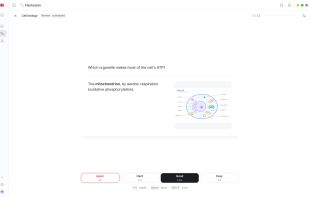
Flashcards support classic, cloze and image occlusion cards, decks and folders, and review scheduling through FSRS. A separate self-graded test mode lets you test yourself without changing the review schedule. Decks can move through Anki packages, CSV and .mnemo packages.
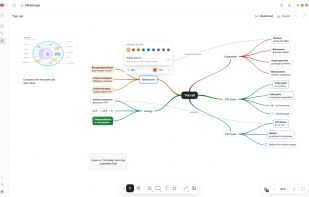
Mind maps run on an infinite canvas built for Mnemo. Maps support nodes, shapes, text, images, frames, several layout algorithms, custom edges, reusable styles and a minimap. You can export a map to PNG, SVG or a Markdown outline.
Overview is a configurable study dashboard. Its widgets cover activity, recent notes and decks, study goals, usage, memory and testing.
Across the app you also get light and dark themes, remappable shortcuts, global search, notification history and interface support for English, German, Spanish, Japanese and Norwegian Bokmål.
Your work stays portable
Mnemo does not try to trap your material inside the application.
Notes export to Markdown, PDF and .mnemo packages
Flashcards import and export through Anki packages, CSV and .mnemo packages
Mind maps export to PNG, SVG, Markdown and .mnemo packages
The application database and managed files stay in your local application data directory









 Mnemo
Mnemo 
No comments or reviews, maybe you want to be first?