Mini Max Converter is a single desktop app that handles file conversion locally — nothing is uploaded, no account is required, and there is no subscription. Drop files in, pick the output format, conversion runs on your machine.
What it converts
- Audio across 25 input and 17 output formats (MP3, WAV, FLAC, OGG, OPUS, M4A, AAC, AIFF and more), with CUE-sheet album splitting and parallel batch conversion across CPU cores.
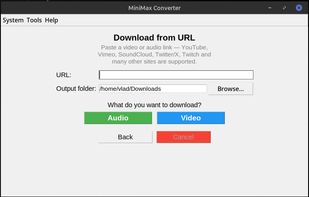
- Video across 24 formats (MP4, MKV, MOV, AVI, WEBM, M4V, WMV, FLV, animated GIF and more), with optional GPU encoding (NVENC, AMF, QSV, VAAPI, VideoToolbox) and a cancellable progress bar.
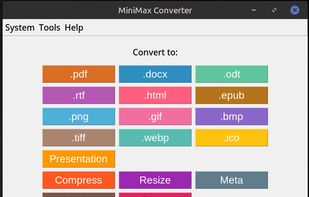
- Images across 68 formats including HEIC, AVIF, 26 camera RAW formats (CR2/CR3/DNG/NEF/ARW/ORF and more), SVG, PSD, EPS, DICOM medical imaging and Apple Live Photos.
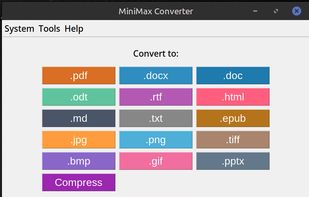
- Documents: PDF, DOCX, ODT, RTF, EPUB, HTML, Markdown, Jupyter notebooks, Apple Pages/Keynote/Numbers, WordPerfect, Visio and more.
- Ebooks (EPUB / MOBI / AZW3 / FB2), subtitles (SRT / VTT / ASS), 3D meshes (STL / OBJ / GLB / GLTF), fonts (TTF / OTF / WOFF / WOFF2), GPS data (GPX / KML / GeoJSON), calendar / contacts (ICS / VCF) and 30+ archive formats.
Built-in extras
- Subtitles & lyrics from audio or video (very beta) — drop a video, get a clean .srt subtitle file. Drop a song, get the lyrics as plain text with paragraph breaks reconstructed from the natural silences between verses. Powered by Whisper, fully offline, 99 languages with auto-detection.
- Background removal — one-click PNG with transparent background.
- AI image upscaling at 2× / 3× / 4× via Real-ESRGAN, with photo and anime presets. GPU-accelerated when available, CPU fallback otherwise.
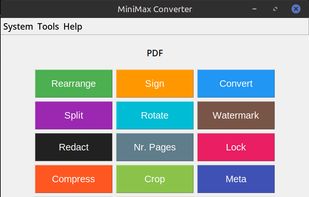
- PDF tools — merge, split, rotate, encrypt, sign, add and remove watermarks, redact, crop, compress, OCR, reorder pages.
- Mixed-file drop — drop documents, images and PDFs together and merge them into one PDF or PowerPoint.
- Folder drop — drop a folder, the app classifies everything inside and lets you pick what to convert.
- 28 built-in utilities — QR / barcode generator and reader, hash calculator, JSON / SQL formatter, regex tester, JWT decoder, color picker, OTP / 2FA, crontab generator, password generator, unit converter and more.
Cross-platform parity — same feature set on Windows 10/11, macOS 11+ (Apple Silicon and Intel), and Linux.
16 languages — English, German, French, Spanish, Italian, Portuguese, Russian, Ukrainian, Polish, Dutch, Hindi, Japanese, Turkish, Croatian, Serbian, Slovenian.
Pricing — free for non-commercial use on Linux. €20 one-time lifetime license on Windows and macOS. No subscription, no cloud upload, no telemetry.










No comments or reviews, maybe you want to be first?