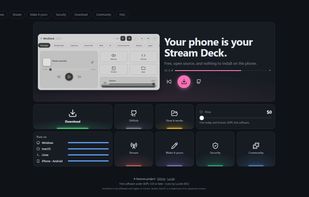
MiniDeck is a free and open-source alternative to a physical Stream Deck that turns your phone into a customizable control panel for your computer. It works with Windows, macOS, and Linux, directly through your phone's web browser, with no dedicated hardware or mobile app required.
With MiniDeck, you can create custom buttons to launch applications, open websites, execute commands, trigger keyboard shortcuts, run macros, and control media playback. Organize your controls into personalized pages and folders to build a setup that fits your workflow.
MiniDeck also supports integrations with tools like OBS Studio and Home Assistant, making it useful for streamers, content creators, developers, gamers, smart home enthusiasts, and anyone who wants faster access to their favorite PC actions.
Want to go further? MiniDeck includes an extensible plugin system that lets you expand its functionality with Python plugins and JavaScript widgets, allowing you to create custom tools and tailor your control panel to your needs.
Whether you want to manage your streaming setup, automate repetitive actions, control your applications, or customize your desktop workflow, MiniDeck gives you a flexible way to do it using a device you already own.
Key features include customizable buttons and layouts, keyboard shortcuts, macros, application launching, website shortcuts, command execution, media controls, custom pages and folders, stateful buttons, OBS Studio and Home Assistant integrations, and support for Python plugins and JavaScript widgets.
MiniDeck is built for flexibility, accessibility, and community-driven development. It is free to use, open source under the AGPL-3.0-or-later license, and designed to give you more control over your computer without requiring expensive dedicated hardware.
Get started at https://minideck.samons.co
Explore the source code, contribute, or build your own extensions on GitHub:
https://github.com/SamonsLol/minideck




 samuel-bernal added Minideck as alternative to Unified Remote, MacMobility, TouchPortal, MATRIC and 13 more


No comments or reviews, maybe you want to be first?