MesonStudio is a creative workspace for making, editing and animating images.
It brings leading image and video models into one interface, but choosing a model is only one part of the product.
Auto
Looks at what the user wants to create, checks which models support the job and recommends a suitable option. Manual selection is always available, and the exact credit cost is shown before anything runs.
Tabula
Is a conversational image workspace. Users can create an image and continue refining it through an ongoing discussion—“change the jacket”, “make the lighting warmer”, “try a different setting”—without rewriting the complete prompt and starting again each time. Using the auto function the model can change to adjust to the changing conversation meaning they are not tide to a single model in that conversation.
Canvas
Provides more precise visual editing, including selections, drawing and saved versions, while keeping the original image available. The user can remove backgrounds, change pixel dimensions of the image and expand the image with generative fill.
MesonStudio also supports:
- Image generation, image editing and animation
- Text-to-video and image-to-video workflows
- Reference images and reusable Characters
- Camera Looks for consistent visual treatment
- Moving existing work between Studio, Tabula, Canvas and Gallery
- Private storage, downloads and bulk Gallery exports
- One credit balance across the available models
- Clear pricing before every generation
MesonStudio uses external generation models as the engines behind the work. Its purpose is to make those models part of a usable creative process, rather than presenting them as a collection of separate generators.





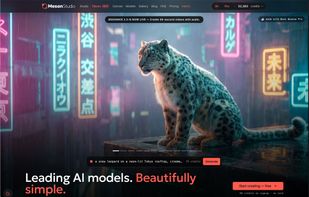


 MesonStudio added MesonStudio as alternative to Krea, Leonardo.Ai and OpenArt
 MesonStudio Ltd

No comments or reviews, maybe you want to be first?