




MarkdownPoint
Like
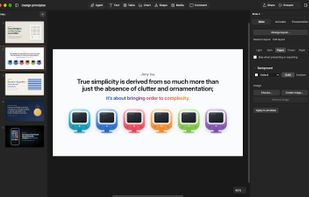
A free presentation app for Mac and Windows. It works like Keynote but with tools you know from Figma and After Effects. Each presentation is a folder of plain text: the words in Markdown, the layout in YAML.

Cost / License
- Free
- Proprietary
Application type
 EU
EUPlatforms
- Mac
- Windows


Features
MarkdownPoint News & Activities
Highlights All activities
Recent activities
- Johan Sanneblad added MarkdownPoint
- Johan Sanneblad updated MarkdownPoint
- Johan Sanneblad updated MarkdownPoint
 Johan Sanneblad added MarkdownPoint as alternative to Keynote, Microsoft PowerPoint, Gamma App, Pitch and 3 more

MarkdownPoint information
Developed by
 Johan Sanneblad
 Licensing
Proprietary and Free product.Alternatives
7 alternatives listedBadge
Get an embeddable badge for MarkdownPointSupported Languages


No comments or reviews, maybe you want to be first?