
Markdown Editor Online icon

Markdown Editor Online

 Like

Free online Markdown editor with live preview. Export to PDF, Word or HTML, share documents by link, and use 69 free Markdown tools. No signup needed.
Markdown Editor Online screenshot 1

Cost / License

  • Freemium (Subscription)
  • Proprietary

Since

  • Since 2026

Platforms

  • Online
0likes
0articles
Save

Features

Features

Highlights All activities

Markdown Editor Online News & Activities

Recent activities

Markdown Editor Online information

  • Developed by

    Numrush
  • First released

    2026
  • Licensing

    Proprietary and Freemium product.
  • Pricing

    Subscription ranging between $5 and $6 per month + free version with limited functionality.
  • Alternatives

    3 alternatives listed
  • Badge

    Get an embeddable badge for Markdown Editor Online
  • Supported Languages

    • English

AlternativeTo Category

Office & Productivity
Markdown Editor Online was added to AlternativeTo by Anurag Das on and this page was last updated .

No comments or reviews, maybe you want to be first?

What is Markdown Editor Online?

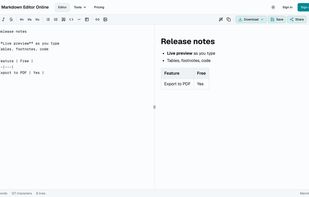
Markdown Editor Online is a free Markdown editor that runs in your browser. You type Markdown on the left and see the formatted document on the right as you go, so there is nothing to install and nothing to configure. It works on any device, and you can start writing without an account.

What you can do with it:

  • Write with a split-pane live preview and GitHub Flavored Markdown: tables, task lists, strikethrough, autolinks and fenced code blocks.
  • Export a document to PDF, Word (DOCX) or HTML, or download the .md file.
  • Clean up messy Markdown with the built-in formatter.
  • Save documents to a free account and open them again from your dashboard.
  • Share a document through a link. Readers do not need an account, and you can stop sharing at any time.
  • Use 69 free Markdown tools alongside the editor: converters for PDF, Word, HTML and Google Docs, table and README generators, text formatters for Slack, Discord, WhatsApp and LinkedIn, and tools that count, compare and lint your writing.
  • Work in light or dark mode.

It suits developers writing READMEs, changelogs and documentation, writers drafting posts, students who hand in work as PDF or Word, and teams passing around meeting notes and specs.

Pricing: the editor and every tool are free, with 3 server-side conversions a day (such as PDF and Word export) and a limited number of new saved documents a day. Pro removes the daily limits for $6 a month or $54 a year, with refunds within 14 days.