


Luminaria
3 likes
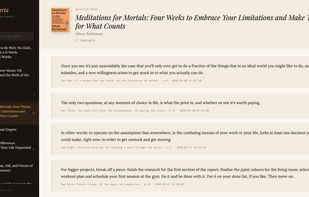
Private highlight manager for ereader users. Browse, search and export your e-reader highlights — free to start, no account needed.

Cost / License
- Freemium (Pay once or Subscription)
- Proprietary
Application typeApplication types
Platforms
- Online


Features


Highlights All activities
Luminaria News & Activities
Recent activities
 mike43-ai added Luminaria as alternative to Anti Noise Feynman
 K0RR added Luminaria as alternative to Chaski App
 Jamesisonfire added Luminaria as alternative to Quotes - Organize and Recall
 hsr88 added Luminaria as alternative to Aura Distraction-free Reader
 Jamesisonfire added Luminaria as alternative to Outlearn, Clippings.io and Slax Reader
 Jamesisonfire added Luminaria as alternative to Matter Reader, Readeck and OpenLearn GPLV3


Developed by
 James Langton
 Licensing
Proprietary and Freemium product.Pricing
One time purchase that costs up to $31, and / or subscription that costs up to $4 per month + free version with limited functionality.Alternatives
55 alternatives listedBadge
Get an embeddable badge for LuminariaSupported Languages


Comments and Reviews
Finally a highlight manager that respects your privacy! I switched to Luminaria after getting frustrated with paying £7.99 a month for Readwise when all I really wanted was to browse and search my Kobo highlights. The import is genuinely seamles: plug in your Kobo via USB, select the database file, and your highlights are there in seconds. No exporting, no fiddling with files. The KOReader plugin means everything syncs automatically in the background whenever my device connects to WiFi. What I didn't expect to like as much as I do is the rotating quote on the homepage. Every time I open the app a random highlight from my library appears. It's a small thing but it's made me revisit passages I'd completely forgotten. The Obsidian integration is the killer feature for me. One markdown file per book, YAML frontmatter, chapter headings — it drops straight into my vault and works with everything else in my PKM setup.