





Long Path and Filename Editor
Like
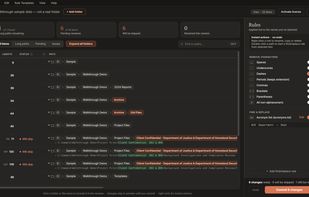
Scan local or network folders for paths over 260 characters, then batch-rename shared segments using stacked edits, custom rules, live previews, filters, and updating length indicators before committing changes.

Cost / License
- Pay once
- Proprietary
Since
- New
Platforms
- Windows

Features
Highlights All activities
Long Path and Filename Editor News & Activities
Recent activities
- Danilo Venom updated Long Path and Filename Editor
- Venai added Long Path and Filename Editor
- Fla updated Long Path and Filename Editor
- Fla updated Long Path and Filename Editor
 Venai added Long Path and Filename Editor as alternative to Long Path Tool, Path Too Long Auto Fixer (PTLAF), Path Scanner, Path Too Long PRO and 6 more

Developed by
 Venai Solutions
Licensing
Proprietary and Commercial product.Pricing
One time purchase (perpetual license) ranging between $49 and $149.Alternatives
10 alternatives listedBadge
Get an embeddable badge for Long Path and Filename EditorSupported Languages


No comments or reviews, maybe you want to be first?