LocalTelemetry icon
LocalTelemetry icon

LocalTelemetry

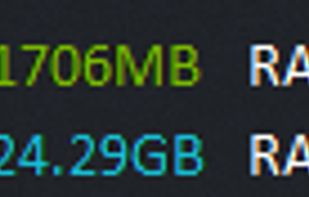
LocalTelemetry is a lightweight, open-source Windows utility that embeds real-time hardware telemetry and network bandwidth tracking directly into the Windows 10 and Windows 11 taskbar.
Taskbar Overlay (Default)

Cost / License

Platforms

  • Windows
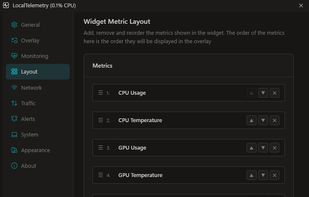
Layout Customization
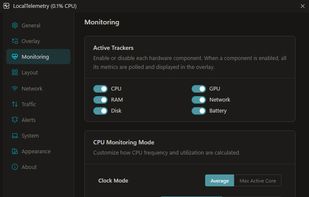
Hardware Monitoring
+3
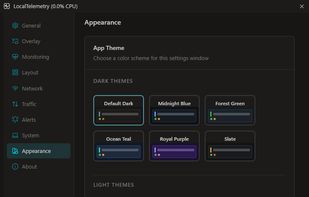
Appearance & Brand Themes
Alternatives
0likes
0alternatives
0articles
Save

Features

Properties

Features

Highlights All activities

LocalTelemetry News & Activities

Recent activities

LocalTelemetry information

AlternativeTo Categories

System & Hardware, Network & Admin, OS & Utilities

GitHub repository

  •  1 Stars
  •  0 Forks
  •  4 Open Issues
  •   Updated  
View on GitHub
LocalTelemetry was added to AlternativeTo by Nicco on and this page was last updated .

No comments or reviews, maybe you want to be first?

Official Links

What is LocalTelemetry?

LocalTelemetry is a lightweight, open-source Windows utility that embeds real-time hardware telemetry and network bandwidth tracking directly into the Windows 10 and Windows 11 taskbar.

Built natively with .NET 10 and a modern Svelte 5 settings dashboard, LocalTelemetry delivers high-precision hardware metrics with low system overhead, complete offline privacy, and zero desktop clutter.

Key Features:

  • Native Taskbar Embedding: Displays live system statistics directly on the Windows taskbar with full DPI awareness.
  • Deep Hardware Telemetry: Queries CPU clock speeds, thermals, and wattage via signed PawnIo kernel MSR drivers (Intel Core/Xeon and AMD Ryzen/Threadripper) with zero WMI latency.
  • GPU and Storage Diagnostics: Live temperature, load, and clock tracking across NVIDIA (NVML), AMD Radeon (ADLX/ADL), Intel Arc (IGCL), and generic WDDM fallback.
  • Live Bandwidth and Traffic History: Real-time per-interface download and upload speeds with persistent local historical logging.
  • Adaptive OEM Brand Colors: Automatically applies authentic hardware manufacturer palettes (Intel, AMD, NVIDIA, Samsung, Corsair, etc).
  • Game-Safe Alerts: Delivers custom threshold warnings via background toasts that never steal keyboard focus or minimize full-screen games.
  • 100% Offline and Clean Security: Complete privacy with zero outbound telemetry calls and zero ads.
  • Verified Supply-Chain Security: Built with cryptographic SLSA Level 3 provenance attestations and clean antivirus verification with no false positives.

System Requirements:

  • Operating System: Windows 10 (64-bit, v2004+) or Windows 11 (64-bit, v22H2+)
  • Architecture: x86-64 / AMD64 (Intel and AMD)
  • Permissions: Administrator (UAC) for kernel hardware drivers