


L
Locally Uncensored
Like
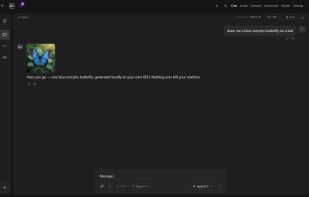
Open source local AI studio for Windows and Linux: chat, coding agent, image, video, music and LoRA training on your own hardware. Free locally.

Cost / License
- Freemium
- Open Source (AGPL-3.0)
Application typeApplication types
 EU
EUPlatforms
- Windows
- Linux


Features
Locally Uncensored News & Activities
Highlights All activities
Recent activities
Does not install to external drive, models go to PC and it requires internet access. Can't locate your models.
- David added Locally Uncensored
- David added Locally Uncensored as alternative to LM Studio, Ollama, Jan.ai, GPT4ALL and 2 more
Locally Uncensored information
Developed by
 lu-labs
 Licensing
Open Source (AGPL-3.0) and Freemium product.Pricing
free version with limited functionality.Written in
Alternatives
6 alternatives listedBadge
Get an embeddable badge for Locally UncensoredSupported Languages

AlternativeTo Categories
AI Tools & Services, Photos & Graphics, DevelopmentGitHub repository
- 1,881 Stars
- 307 Forks
- 11 Open Issues
- Updated


Comments and Reviews
Does not install to external drive, models go to PC and it requires internet access. Can't locate your models.