LitPads is a cross-platform soundboard and audio pad app for iPhone, iPad, and Mac, built for streamers, content creators, gamers, podcasters, DJs, and live event sound ops. It is a strong alternative to Soundboard Studio with native apps on three platforms, a generous free tier, and a single one-time Pro purchase instead of a recurring subscription.
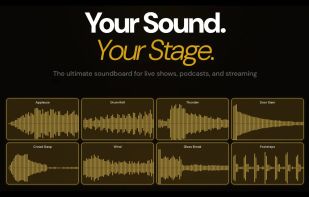
Build custom soundboards, load your own audio files, and trigger sounds instantly with low latency, polyphonic playback, and per-pad audio processing. Whether you're streaming on Twitch and YouTube Live, gaming with friends on Discord, creating content for TikTok and Reels, recording an in-person podcast, DJing on stage, or running theater and church cues, LitPads gives you a powerful, fully customizable sound trigger system.
WHO USES LITPADS
Streamers on Twitch, Kick, and YouTube Live triggering sound effects, alerts, drops, and reactions during live broadcasts. Gamers firing meme sounds, callouts, and prank effects in Discord voice chats with friends. Podcasters dropping intros, beds, sound effects, and bumpers during in-person recording.
PROFESSIONAL AUDIO ENGINE
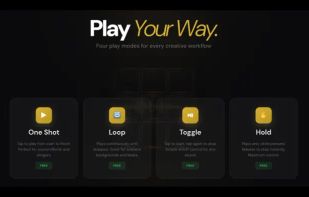
• Four play modes: One Shot (retrigger on every tap), Loop, Toggle (tap on, tap off), and Hold (play while pressed)
• Per pad Volume, Stereo Pan, Fade In (0 to 5s), and Fade Out (0 to 5s) controls
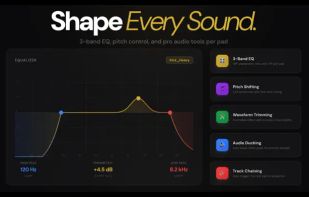
• 3 band EQ per pad: High Pass Filter, Parametric EQ, Low Pass Filter & High Pass Filter
• Audio trimming with a zoomable waveform editor
LIVE PERFORMANCE TOOLS
• Audio ducking: automatically lower other pads when a trigger pad plays
• Solo mode per pad: stops all other pads on the board with a single tap
• Track chaining: automatically trigger the next pad in sequence
• Exclusive mode: only one pad plays at a time on a board
• Global Fade Out: smoothly fade every playing pad to silence with one tap, with per pad or universal fade time
MIDI AND HARDWARE CONTROL
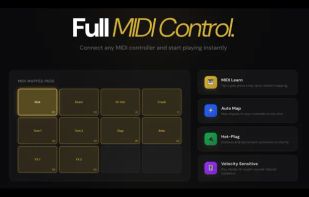
• Full MIDI input support for hardware controllers and keyboards
• Per pad MIDI note assignment (0 to 127) with one tap MIDI Learn
• Velocity sensitive playback that scales pad volume dynamically
STREAMING WORKFLOW ON MAC
Pair LitPads with our companion driver LitLink (free download) as a lightweight alternative to BlackHole or Loopback.
EVERY APPLE DEVICE
LitPads is one app on iPhone, iPad, and Mac, free to download on every platform from the App Store. Use iPhone or iPad for live performance, in-person podcasting, mobile content creation, on-stage DJing, and theater cues. Open it on Mac for the full pro streaming workflow.
ALTERNATIVE TO
LitPads is a strong alternative to Soundboard Studio (iOS only, subscription or higher one-time price), Stream Deck (when you want a software-first solution without buying $150 to $250 of hardware), and BlackHole or Loopback when paired with the LitLink companion driver for streaming workflows.









 linguaholic added LitPads as alternative to Soundboard Studio, Sound Show, SoundCue, Podcast Soundboard and 3 more
 Marcel Iseli

No comments or reviews, maybe you want to be first?