Life Dashboard Companion icon

Life Dashboard Companion

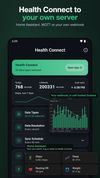
Life Dashboard Companion sends your health data from Health Connect, plus screen time per app, from your Android phone to a server you run yourself: Home Assistant, an MQTT broker or any webhook. There is no account and no cloud in between; the developer never receives your data.
Life Dashboard Companion screenshot 1
Life Dashboard Companion screenshot 2
+1
Life Dashboard Companion screenshot 3

Cost / License

  • Free
  • Open Source (MIT)

Platforms

  • Android
1like
0articles
Save

Features

Properties

Features

Highlights All activities

Life Dashboard Companion News & Activities

Recent activities

Life Dashboard Companion information

AlternativeTo Category

Sport & Health

GitHub repository

  •  72 Stars
  •  13 Forks
  •  5 Open Issues
  •   Updated  
View on GitHub
Life Dashboard Companion was added to AlternativeTo by Owen282000 on and this page was last updated .

No comments or reviews, maybe you want to be first?

What is Life Dashboard Companion?

Life Dashboard Companion sends your health data from Health Connect, plus screen time per app, from your Android phone to a server you run yourself: Home Assistant, an MQTT broker or any webhook. There is no account and no cloud in between; the developer never receives your data.
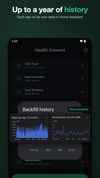
It works with any app that writes to Health Connect, such as Samsung Health, Fitbit, Garmin Connect, Oura and Withings, and covers 33 data types including steps, sleep stages, heart rate, HRV, weight, blood pressure and workouts. It can backfill up to a year of history, signs every payload with HMAC-SHA256, and keeps undelivered syncs in an outbox until your server is reachable again. Edits and deletions are sent too, not only new records.

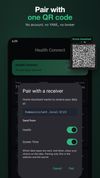
The Home Assistant integration pairs with one QR code and turns the data into sensors with long-term statistics. The optional Life Dashboard Stack stores everything in Postgres with Grafana dashboards and an MCP server for an AI model you run yourself.

Screen time is sent per app, with a day boundary you choose; apps you leave out never leave the phone. Syncs run on an interval or at fixed times, with quiet hours, a widget, a quick settings tile and an intent for Tasker.

Open source under the MIT license. Free on GitHub and F-Droid. An iPhone version is in testing.