Libre Contacts Backup icon

Libre Contacts Backup

Libre Contacts Backup is a FLOSS native Android contact backup app that works entirely offline, encrypts your backups, and has no third-party runtime dependencies.
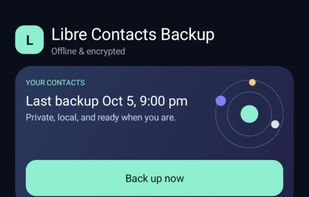
Main page with everything setup

Cost / License

Platforms

  • Android
  • F-Droid
0likes
0articles
Save

Features

Properties

  1.  Privacy focused
  2.  Lightweight
  3.  Local-First

Features

  1.  No Tracking
  2.  Dark Mode
  3.  Import CSV Data
  4.  Works Offline
  5.  No registration required
  6.  Automatic Backup
  7.  No Coding Required
  8.  Cloud Sync
  9.  Encrypted Backup
  10.  Contacts
  11.  Sync Contacts
  12.  Local Storage
  13.  Offline

Libre Contacts Backup News & Activities

Highlights All activities

Recent activities

Libre Contacts Backup information

AlternativeTo Categories

Backup & Sync, Office & Productivity

GitHub repository

  •  26 Stars
  •  1 Forks
  •  0 Open Issues
  •   Updated  
View on GitHub

Popular alternatives

View all
Libre Contacts Backup was added to AlternativeTo by LinuxDoge on and this page was last updated .

No comments or reviews, maybe you want to be first?

Featured in Lists

GrapheneOS Starterpack

A list of apps I use on GrapheneOS, but most also make sense on other operating systems. Install "F-Droid Basic" and Obtainium, add a few repos to F-Droid by searching for "F-Droid known repositories"
By LinuxDoge87 appsUpdated

What is Libre Contacts Backup?

A free, open-source, native Android app that backs up your contacts — fully offline, fully local, fully yours.

  • Libre & open source — GPL-3.0, no proprietary bits, buildable from source, available on F-Droid.
  • Private by design — no account, no cloud, no analytics, no network permission at all. Contacts are only read when a backup runs.
  • Local by design — backups are written to a folder you choose on your own device (or SD card); nothing is ever uploaded anywhere.
  • Scheduled backups — daily, weekly, or monthly at a time you choose, running automatically in the background, entirely on-device.
  • Retention by age — keep the newest backups per day, week, and month with counts you choose (e.g. 7 daily + 4 weekly + 3 monthly), so backups of increasing age stay available while old ones thin out; or keep it simple and just keep the last N sets.
  • As close to lossless as the Contacts Provider allows — preserves the full Contact → RawContact → Data hierarchy (every readable field, every account, every custom type), not a lossy flattened copy.
  • SIM card phonebook included — every backup also captures the contacts stored on your SIM card; on restore, you choose whether they are written back to the SIM card, into the device address book, or both — and on phones with more than one SIM (including an eSIM), which of the available cards to write them to.
  • Optional encryption — AES-256-GCM with a key derived from your password (PBKDF2, 600,000 iterations); the password itself is stored on-device behind an Android Keystore key so scheduled backups can run unattended.