LHA for Windows (32/64-bit) icon

LHA for Windows (32/64-bit)

If you are into retrocomputing (Amiga, MS-DOS, PC-98) or digital preservation, you probably still deal with LHA / LZH archives. However, running traditional Unix ports on modern 64-bit Windows environments often causes issues—either triggering missing DLL errors or crashing due...

Cost / License

  • Free
  • Open Source (MIT)

Platforms

  • Windows
Alternatives
0likes
0alternatives
0articles
Save

Features

Properties

Features

Highlights All activities

LHA for Windows (32/64-bit) News & Activities

Recent activities

LHA for Windows (32/64-bit) information

AlternativeTo Categories

File Management, OS & Utilities

GitHub repository

  •  93 Stars
  •  21 Forks
  •  7 Open Issues
  •   Updated  
View on GitHub
LHA for Windows (32/64-bit) was added to AlternativeTo by theDUBBER on and this page was last updated .

No comments or reviews, maybe you want to be first?

Official Links

What is LHA for Windows (32/64-bit)?

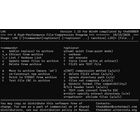
If you are into retrocomputing (Amiga, MS-DOS, PC-98) or digital preservation, you probably still deal with LHA / LZH archives. However, running traditional Unix ports on modern 64-bit Windows environments often causes issues—either triggering missing DLL errors or crashing due to hardcoded Unix path restrictions. To solve this, I have just built and released a 100% standalone, static custom version of LHA for Windows (both 32-bit and 64-bit platforms), tailored to fix all these classic bugs. 🛠️ What makes this release special: • 100% Statically Linked: All essential runtime libraries (including libiconv) are compiled right inside the executable. It is completely portable and requires zero external .dll files to run. • Native Windows Wildcard Expansion: I patched the source code (_dowildcard) to enable native CMD asterisk handling. You can finally use standard commands like lha a archive.lha . directly in the Windows Command Prompt without warnings! • No /tmp/ Directory Glitch: Reconfigured to drop the rigid Unix /tmp/ requirement. The tool now handles temporary files dynamically inside your current working directory, preventing crashes. • Clean CLI Interface: Suppressed redundant Autoconf compiler options from the help screen for a clean, distraction-free text output. Feel free to grab the free binaries, which include the updated English user manual and MIT license notes, from my portal.