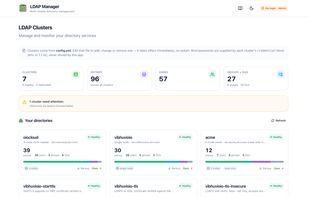
LDAP Manager is a web interface for OpenLDAP. It connects to one or many
clusters over LDAP and gives you a browser-based way to work with the
directory, instead of a desktop client and a shell.
Directory management
Browse the DIT as a tree, create and edit users, groups and organizational
units, and view every entry in a paginated table. Bulk operations let you set
an attribute, adjust group membership, or delete across many entries at once.
LDIF
Import and export LDIF. Validate is a dry run that shows what would change;
Apply writes to the directory and is restricted to admin roles.
Schema and ACLs
Read attribute types and object classes from cn=schema and add or remove
definitions. Manage olcAccess rules per database to control who can read and
write your directory.
Monitoring
Per-cluster KPIs, per-node synchronisation state, and replication topology for
multi-master meshes.
Audit
The application records who changed what, with filters by user and action.
Where the server has the accesslog overlay enabled, server-side changes appear
alongside it.
Roles and authentication
Three authentication modes: none, local accounts, or LDAP binds against your
own directory with group-to-role mapping. Roles are readonly, readwrite and
admin, enforced on the server for every request rather than hidden in the
interface.
Optional server features
Monitoring, replication topology and the server-side change log depend on
optional OpenLDAP configuration - cn=Monitor and the accesslog overlay. The
interface detects when they are absent, says so, and shows the LDIF needed to
enable them, instead of failing silently.
Deployment
Ships as a Docker image and a Helm chart, with values.schema.json and
GPG-signed provenance. Clusters are declared in config.yml; the application
never stores your bind passwords and has no API for changing them.
OpenLDAP only, by design. Active Directory, 389 Directory Server and ApacheDS
are not supported, because schema and ACL editing read OpenLDAP's cn=config,
which has no equivalent elsewhere.
MIT licensed. No hosted service; nothing leaves your infrastructure.







 Jinna Baalu added LDAP Manager as alternative to phpLDAPadmin, Apache Directory Studio, LDAP Account Manager, JXplorer and 1 more
 Vibhuvi OiO


No comments or reviews, maybe you want to be first?