


LazyCure
Like
Time tracking software and a convenient tool for easy time logging, time analysis, personal development, calculation and improving working time usage efficiency.

Features
- Sits in the System Tray
 X Integration
- Time logging
LazyCure News & Activities
Highlights All activities
Recent activities
No activities found.


LazyCure information
Developed by
Mikhail SubachLicensing
Open Source and Free product.Written in
Alternatives
1 alternatives listedSupported Languages
- English
- Russian

AlternativeTo Category
Office & ProductivityGitHub repository
- 2 Stars
- 1 Forks
- 10 Open Issues
- Updated

No comments or reviews, maybe you want to be first?
What is LazyCure?
LazyCure is a compact program, which could be useful both for novice and professional time manager. LazyCure is free, so you can download it and enjoy personally. Here is a complete list of LazyCure features:
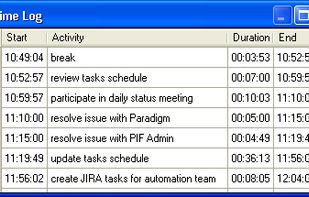
- Ability to perform time logging;
- start, end time and duration is calculated automatically;
- possibility to edit time logs;
- possibility to enter time logs manually;
- ability to open time logs for past days;
Features for convenient and fast time logging:
- lives in tray
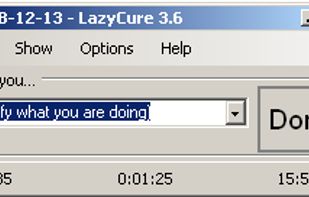
- activated by hot key (Ctrl+F12) or click on tray icon;
- switch activity by hot key (Ctrl+Alt+Shift+F12) or press ENTER in main window;
- hide main window on press ‘ESC’ or ‘X’;
- ability to select activity from list of latest activities;
- auto completion for activities;
- show current time with seconds;
- show current activity start and duration time;
- possibility to specify finished activity from tray;
- auto generation of unique activity name if it has not been specified;
- posibility to switch activity during computer locking;
Provide reports and metrics for spent time analysis:
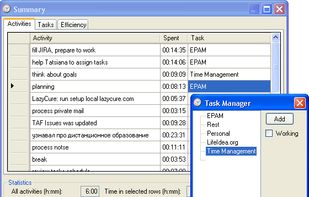
- activities summary – summary time spent on each activity;
- tasks summary – group similar activities in tasks and see summary time spent on each task;
- show working activities time;
- show time for selected activities or tasks;
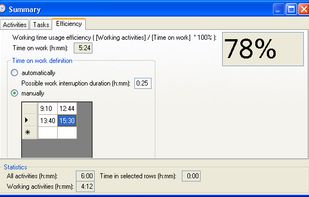
- working time usage efficiency – time spent on working activities / time spent on working place;
Additional features:
- works under Linux;
- notification by flashing icon in tray after long time of inactivity;
- export timelogs to xml;
- store links between activities and tasks;
- autosave;
- options for creation your own LazyCure configuration;
- possibility to redefine hot keys;
- tasks editor provide possibility to add/edit/delete tasks;
- notification about not logged activity when computer is shutting down;
- switch time logs at midnight;
- restore main window position after restart;
- info about current activity is shown when cursor is placed on tray icon;
- possibility to post activity to Twitter.