Lùmen icon
Lùmen icon

Lùmen

Native macOS laser engraver controller for GRBL machines. Image engraving, SVG cutting, 7 dithering algorithms. Works with Sculpfun, Ortur, Atomstack.
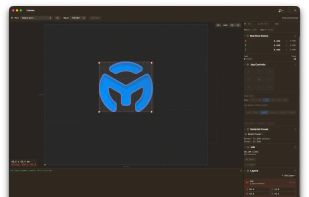
The app UI

Cost / License

  • Pay once
  • Proprietary

Platforms

  • Mac  Requires macOS 15 Sequoia or later.
0likes
0comments
0articles

Features

No features, maybe you want to suggest one?

Lùmen News & Activities

Highlights All activities

Recent activities

Lùmen information

  • Developed by

    IT flagdimix.it
  • Licensing

    Proprietary and Commercial product.
  • Pricing

    One time purchase (perpetual license) that costs $10.
  • Alternatives

    4 alternatives listed
  • Supported Languages

    • English
    • Italian
Lùmen was added to AlternativeTo by dimix on and this page was last updated .
No comments or reviews, maybe you want to be first?

What is Lùmen?

Lùmen is a native macOS application for controlling GRBL-based diode laser engravers over USB serial. Built specifically for Mac (Apple Silicon and Intel) with Swift and SwiftUI, it delivers the speed, polish, and reliability that Mac users expect — no Wine, no virtual machines, no cross-platform compromises. It's designed as a modern alternative to LightBurn and a Mac-native replacement for LaserGRBL, with an interface that feels at home on macOS Sequoia.

Whether you engrave photographs on leather, cut SVG vectors out of plywood, or run calibration tests on a new material, Lùmen gives you complete control over your engraver from a single, focused window.

Key features:

  • Image engraving — Import PNG, JPEG, BMP, or TIFF images and convert to GCode using one of three modes: 7 dithering algorithms (Floyd-Steinberg, Atkinson, Burkes, Jarvis-Judice-Ninke, Sierra, Sierra Lite, Stucki), grayscale mapping, or threshold. Adjust brightness, contrast, and resolution with live preview.
  • SVG vector cutting — Load SVG files for precise vector cutting. Supports paths, rectangles, circles, ellipses, arcs, and Bézier curves with configurable speed, power, and multiple passes.
  • Dual layer system — Combine an engrave layer and a cut layer in a single job, each with independent positioning, sizing, and settings — similar to working with layers in Photoshop.
  • Precise positioning — Drag and drop layers on the canvas, or type exact X, Y, W, H values in millimeters. Frame the job boundary before engraving to verify alignment.
  • Power/Speed test grid generator — Create calibration grids automatically to find the optimal feed rate and laser power for any new material.
  • 18 material presets — Ready-to-use presets for wood, leather, paper, cardboard, cork, acrylic, aluminum foil, and more. Save your own custom presets per material.
  • Flexible work origin — Use machine homing or set a custom origin anywhere on the bed. Supports bottom-left and center alignment.
  • Laser pointer & framing — Toggle a low-power laser dot to preview exactly where the engrave will land. Frame mode traces the full job boundary using the laser itself.
  • Safety features — 5-second countdown before every job, auto-homing, soft jog limits, overscan clamping, and automatic laser-off at job completion.
  • Project save & load — Save both layers, settings, and positions in a single project file. Reopen later with everything exactly as you left it.
  • Resume from position — Stopped mid-job? Resume from the exact line where you left off — no need to start over.
  • Full GRBL control — Serial console with command history, real-time status, feed and speed overrides, jog controls, alarm management, and log export.
  • Auto updates — Lùmen checks for new versions automatically and notifies you when an update is available.

Supported hardware: Any GRBL-based laser engraver with a USB serial connection.

Lùmen Videos

Official Links

