KronoPrompt
AI-powered daily schedule builder — describe your day in plain language and see it as a visual, color-blocked timeline instantly.
Cost / License
- Freemium (Subscription)
- Proprietary
Platforms
- Android
- Software as a Service (SaaS)
- Online
Features
- Scheduling
- Time blocking
KronoPrompt News & Activities
Recent activities
- KronoPrompt added KronoPrompt
KronoPrompt added KronoPrompt as alternative to Motion AI Scheduling
KronoPrompt information
What is KronoPrompt?
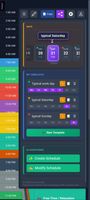
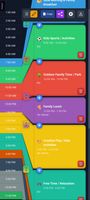
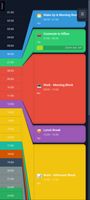
KronoPrompt is a web-based AI daily schedule builder. Type or dictate what your day looks like, and the AI instantly generates or edits a full 24-hour visual timeline — no drag-and-drop, no blank calendar to fill in from scratch.
Unlike task managers or calendar-blocking tools, KronoPrompt starts with a scrollable, color-coded hour-by-hour timeline as the primary view. Onboarding personalizes your first schedule based on your work type, family situation, and natural wake time, so it's already close to right before you touch a single time block.
Save reusable templates mapped to specific days of the week, so Monday's structure doesn't get rebuilt from scratch every Sunday night. Share your schedule as a static snapshot or a live, editable link with expiry control — no account needed for the person you're sharing with. This makes it useful beyond solo planning too: parents sharing a kid's routine, coaches distributing training schedules, or teachers sharing lesson plans.
Free tier includes 3 AI schedule generations per month, 3 templates, 7-day history, and snapshot sharing — no credit card required. A guest mode lets you try it without creating an account at all. Premium ($5.99/month or $65.89/year) unlocks 100 AI uses per month, unlimited templates, 30-day history, and live editable sharing.