Kilnframe icon
Kilnframe icon

Kilnframe

Free, open source plugin for Premiere Pro and DaVinci Resolve that turns what you say into animated inserts with sound effects, written in code and rendered on your own computer.
Kilnframe screenshot 1

Cost / License

Platforms

  • Adobe Premiere Pro  Premiere Pro 2026 (25.6 or later).
  • DaVinci Resolve  DaVinci Resolve Studio 21.1 or later. The free version of Resolve does not load workflow integration plugins.
  • Mac  Apple silicon (M1 or later) only. Intel Macs are not supported.
  • Windows  Windows 10 or 11, 64-bit. The installer is not code signed yet, so SmartScreen may ask to confirm.
Kilnframe screenshot 1
Kilnframe screenshot 2
+2
Kilnframe screenshot 3
Alternatives
0likes
0alternatives
0articles
Save

Features

Properties

Features

Highlights All activities

Kilnframe News & Activities

Recent activities

  • erhanmeydan added Kilnframe

Kilnframe information

AlternativeTo Categories

Photos & Graphics, Video & Movies, System & Hardware

GitHub repository

  •  26 Stars
  •  1 Forks
  •  1 Open Issues
  •   Updated  
View on GitHub
Kilnframe was added to AlternativeTo by erhanmeydan on and this page was last updated .

No comments or reviews, maybe you want to be first?

Official Links

What is Kilnframe?

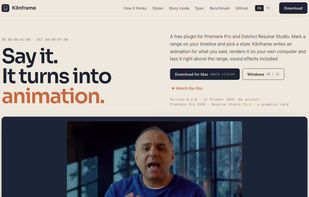
Kilnframe is a free, open source (Apache 2.0) plugin for Adobe Premiere Pro and DaVinci Resolve Studio that turns what you say into animation.

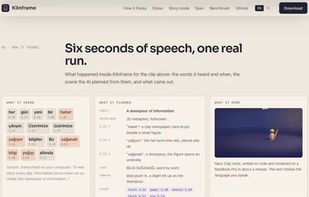
Mark an in/out range on your timeline and pick a style. Kilnframe transcribes the speech on your computer, plans the scenes, and writes each animation as code (HTML, CSS, JavaScript, GSAP and Three.js). You see a still of every scene before anything renders, and can redo any scene with a short note. The clip is then rendered on your own computer and placed on the track above your range, with synthesised sound effects on a separate audio track.

Features:

  • Fullscreen inserts, or overlays beside the speaker that never cover the face
  • The right technique per scene: 3D metaphors, kinetic type, charts, diagrams, UI mockups, code, hand drawing
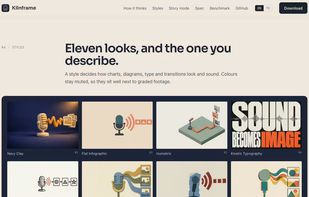
  • 11 built-in styles (Navy Clay, Whiteboard, Isometric, Kinetic Typography, Paper Cut and more) or your own style from a reference image
  • Landscape, portrait and square, at your sequence's frame rate
  • Story mode: no recording needed, write a topic and get a narrated sequence with animation and music
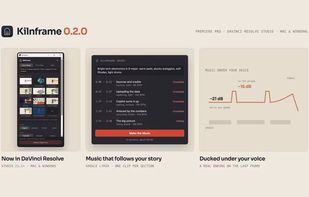
  • Music tab: music for every topic of your video, kept under your voice
  • Works with the AI plan you already pay for (Claude, ChatGPT, Grok), your own API key (Claude, OpenAI, Gemini, xAI, MiniMax, Z.ai, OpenRouter) or a local model in LM Studio
  • Private by design: no account, and your footage never leaves your computer; only text and a few still frames go to the AI you choose

Requirements: Premiere Pro 2026 (25.6+) or DaVinci Resolve Studio 21.1+, a Mac with Apple silicon or Windows 10/11, and a graphics card.

Kilnframe Videos