Keyguard Alternatives

Keyguard is described as 'Alternative client for the Bitwarden platform, created to provide the best user experience possible. Keyguard uses Material You and is developed for Android' and is a password manager in the security & privacy category. There are more than 50 alternatives to Keyguard for a variety of platforms, including Android, iPhone, Mac, Linux and Windows apps. The best Keyguard alternative is Bitwarden, which is both free and Open Source. Other great apps like Keyguard are KeePassXC, KeePass, Proton Pass and LastPass.

Copy a direct link to this comment to your clipboard
Keyguard alternatives page was last updated

Alternatives list

  1. SafeNotes icon
     4 likes
    Copy a direct link to this comment to your clipboard

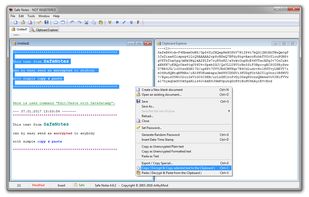
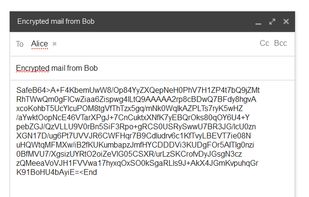
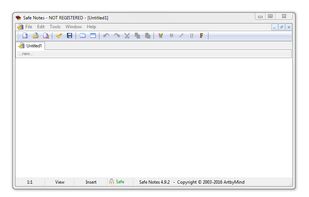
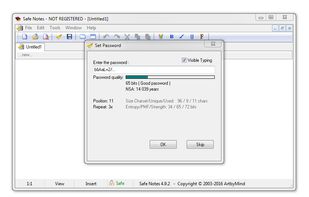
    SafeNotes is easy-to-use, powerful, multipurpose encryption application. Can securely store your private notes, passwords, card pins and other private data and photos with strongest crypto-algorithms.

    Cost / License

    • Free Personal
    • Proprietary

    Platforms

    • Windows
     
  2. Uniqkey icon
     2 likes
    Copy a direct link to this comment to your clipboard

    Uniqkey is Europe’s leading password and access manager. It simplifies employee security while empowering companies with enhanced control over their cloud infrastructure, access security, and employee management.

    76 Uniqkey alternatives

    Cost / License

    • Subscription
    • Proprietary

    Platforms

    • Mac
    • Windows
    • Online
    • Android
    • iPhone
    • iPad
    • Microsoft Edge
    • Google Chrome
    • Safari
    • Software as a Service (SaaS)
    • Mozilla Firefox
     
  3. pCloud Pass icon
     1 like
    Copy a direct link to this comment to your clipboard

    pCloud Pass helps you keep your passwords and gives you Instant SECURE access to them on all your devices. Log in to sites and fill forms with a single click.

    Cost / License

    • Freemium (Pay once or Subscription)
    • Proprietary

    Application type

    Platforms

    • Mac
    • Windows
    • Online
    • Android
    • iPhone
    • Microsoft Edge
    • Google Chrome
    • Brave
    • Mozilla Firefox
    • Linux
     
  4. Copy a direct link to this comment to your clipboard

    Not only your own passwords but also your family's passwords and recovery codes that you don't use regularly, let's keep them memoized so you won't forget.

    Cost / License

    • Pay once
    • Proprietary

    Application type

    Platforms

    • iPhone
    • iPad
     
  5. heylogin icon
     3 likes
    Copy a direct link to this comment to your clipboard

    heylogin is the first password manager with full hardware-based end-to-end encryption. 2-factor secure by default, developed and hosted in Germany.

    Cost / License

    • Freemium (Subscription)
    • Proprietary

    Application type

    Platforms

    • Online
    • Android
    • iPhone
    • iPad
    • Microsoft Edge
    • Google Chrome
    • Safari
    • Mozilla Firefox
     
  6. Clipperz icon
     25 likes
    Copy a direct link to this comment to your clipboard

    Clipperz is an online vault where you can store confidential data without worrying about security. It can be used to save and manage passwords, private notes, burglar alarm codes, credit and debit card details, PINs, software keys, ….

    Cost / License

    • Free
    • Open Source

    Application type

    Platforms

    • Online
     
  7. Copy a direct link to this comment to your clipboard

    Want a free, powerful password manager? Norton Password Manager is a single solution to help manage your unique passwords in multiple ways. Memorizing complex passwords with symbols, numbers, capital letters, and more, is difficult but using strong passwords is important to help...

    Cost / License

    • Free
    • Proprietary

    Application type

    Platforms

    • iPhone
    • iPad
    • Android
    • Android Tablet
    • Google Chrome
    • Mozilla Firefox
    • Safari
    • Microsoft Edge
     
  8. LPTK icon
     1 like
    Copy a direct link to this comment to your clipboard

    A stateless password manager, compatible with LessPass, written in Rust and powered by GTK.

    Cost / License

    • Free
    • Open Source

    Application type

    Platforms

    • Linux
    • Flathub
    • Flatpak
     
  9. Surpass icon
     2 likes
    Copy a direct link to this comment to your clipboard

    Surpass is a multi-platform graphical password manager with focus on simplicity. The source code is free (as in "liberty") and is designed to be concise and simple.

    Cost / License

    • Free
    • Open Source

    Application type

    Platforms

    • Windows
    • Linux
     
  10. Browserpass icon
     1 like
    Copy a direct link to this comment to your clipboard

    Browserpass is a browser extension for zx2c4's pass, a UNIX based password store manager. It allows you to auto-fill or copy to clipboard credentials for the current domain, protecting you from phishing attacks.

    Cost / License

    • Free
    • Open Source

    Application type

    Platforms

    • Google Chrome
    • Waterfox
    • LibreWolf
    • Brave
    • Chromium
    • Mozilla Firefox
     
  11. Personal 2FA icon
     1 like
    Copy a direct link to this comment to your clipboard

    🔐 Personal 2FA - Secure, encrypted TOTP authenticator with multi-format import/export, OpenSSL compatibility, and bilingual support (ES/EN).

    Cost / License

    • Free
    • Open Source

    Platforms

    • Self-Hosted
    • Online
     
  12. Copy a direct link to this comment to your clipboard

    Password Boss is the easiest way to manage all of your passwords and automatically log you into your websites. The Password Boss app stores your passwords, payment details and digital notes.

    Cost / License

    • Freemium (Subscription)
    • Proprietary

    Application type

    Platforms

    • Mac
    • Windows
    • Android
    • iPhone
    • Android Tablet
    • iPad
    • Microsoft Edge
    • Internet Explorer
    • Vivaldi Browser
    • Google Chrome
    • Opera
    • Firefox
     
You are at page 5 of Keyguard alternatives