



Kanodo
A native macOS kanban app for managing tasks and projects with cards that open in windows and mini-boards for breaking down complex work.
Cost / License
- Freemium (Pay once)
- Proprietary
Platforms
- Mac

Kanodo
Features
Properties
- Privacy focused
Features
- Dark Mode
- No Tracking
- Support for MarkDown
- Subtasks
- WYSIWYG Support
- Kanban Board
- No registration required
- Ad-free
- Works Offline
Tags
Kanodo information
Developed by
 Clive Hawkins
 Licensing
Proprietary and Freemium product.Pricing
One time purchase (perpetual license) that costs up to $30 + free version with limited functionality.Alternatives
0 alternatives listedSupported Languages
- English
What is Kanodo?
Kanodo is a native kanban app built around two unique concepts:
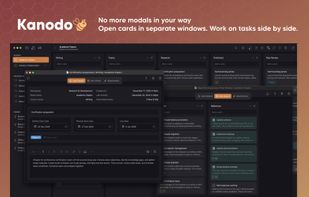
MULTI-WINDOW CARDS Cards open in their own windows. Open multiple at once, arrange them however you like, compare tasks, or keep important information visible while you work elsewhere. Pin cards to the sidebar for instant access. No more modals blocking your view.
MINI-BOARDS Cards can contain mini-boards. When a task has multiple steps, break it down right there inside the card. Create columns, add mini-cards, attach checklists, and track progress without cluttering your main board.
Everything else you expect from kanban is here: workspaces, boards, columns, labels, dates, attachments, dashboards, filtering, search and calendar export. All native to your Mac, all stored locally, no account required.
WORKSPACES & BOARDS
- Workspaces separate areas of your life
- Boards for individual projects
- Drag to reorder workspaces and boards
- Board descriptions and statistics
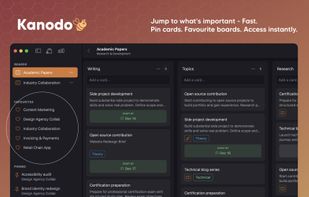
- Favourite boards for quick access across workspaces
COLUMNS & WORKFLOW
- Create columns to match your workflow
- Reorder columns by dragging headers
- Optional card count in headers
- Clear all cards from a column in one action
CARDS
- Rich Markdown content with preview
- Headings, bold, italic, lists, links, code blocks
- Drag and drop images into content
- Batch card creation by pasting multiple lines
THREE DATE TYPES
- Earliest, planned, and due dates
- Configurable badge visibility
- Warning colours for approaching deadlines
LABELS
- Colour-coded labels with full colour picker
- Multiple labels per card
- Labels unique to each board
- Apply labels to mini-cards too
ATTACHMENTS
- Drag and drop files onto cards
- Store locally or sync via iCloud
- Configurable file size limits
- Link attachments to mini-cards
DASHBOARDS
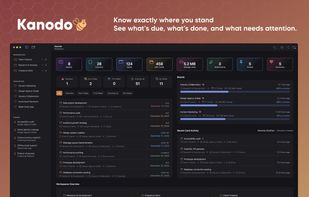
- Workspace and cross-workspace dashboards
- Statistics, recent activity, schedule widgets
- Card distribution by column and label
- Customise which widgets appear
SEARCH & FILTERING
- Board search filters in real time
- Global search across all workspaces
- Search mini-cards and attachments
- Filter by labels, attachments, content or mini-boards
CALENDAR EXPORT
- Export dated cards to ICS format
- Compatible with Apple Calendar, Google Calendar, Outlook
NATIVE & PRIVATE
- Built with Swift for macOS
- Fast, responsive, works offline
- All data stored locally
- No accounts, no tracking
- Optional iCloud for attachments only
CUSTOMISATION
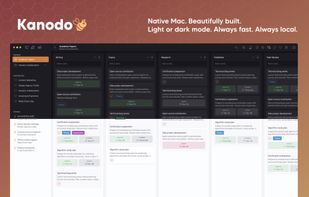
- Light, dark or system appearance
- Configurable date formats and column width
- Toggle features on or off
- Control confirmation dialogs
Free version includes every feature with generous limits. Pro removes all limits with a single purchase. No subscriptions. Download it, give it a week. Once you've opened a few cards side by side, modals feel like a step backwards.
