


Joystick Mapper
8 likes
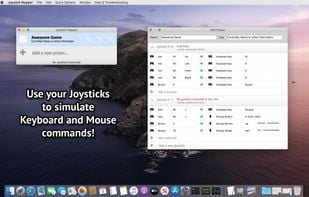
Joystick Mapper is an application that allows you to configure your joysticks or gamepads to simulate keyboard keys/mouse movement/mouse click/mouse scroll, so you can control any app or game using them, even the ones without built-in support.
Cost / License
- Pay once
- Proprietary
Platforms
- Mac

Features
- Multiplayer
- Gamepad Mapping
- Inventory Management
Joystick Mapper News & Activities
Highlights All activities
Recent News
No news, maybe you know any news worth sharing?
Share a News TipRecent activities
 POX added Joystick Mapper as alternative to VibePad
 POX added Joystick Mapper as alternative to ControllerKeys
- babsors liked Joystick Mapper
 POX added Joystick Mapper as alternative to BetterJoy


Joystick Mapper information
Developed by
 Chibata Creations
 Licensing
Proprietary and Commercial product.Pricing
One time purchase (perpetual license) that costs $5.Alternatives
21 alternatives listedSupported Languages
- English


What is Joystick Mapper?
Joystick Mapper is an application that allows you to configure your joysticks or gamepads to simulate keyboard keys/mouse movement/mouse click/mouse scroll, so you can control any app or game using them, even the ones without built-in support.
A very good companion for First Person Shooters, Flash Games, Media Players, Photo Editing for example. Works great with a variety of gamepads, including (but not limited to) Xbox, Logitech, Ps3, Ps4, Steelseries, Nintendo.
Features:
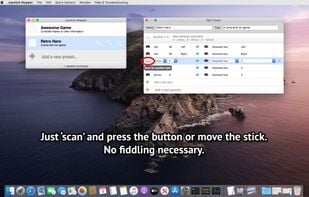
- Use any axis, dpads or buttons on your joystick to simulate keyboard and mouse;
- Map any of the 4 directions from an Analog Stick independently;
- Smooth mouse movement;
- Adjust mouse speed for analog sticks per direction individually, this can help with crappy gamepads;
- Analog Shoulder Triggers can be used as buttons;
- Any "weird" combination you want:
- Button/Dpad/Analog Stick/Analog Trigger --> Keyboard/Mouse/Click/Scroll;
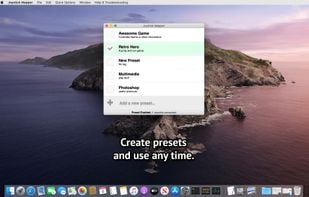
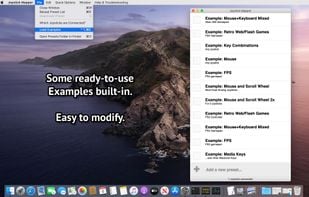
- Ready-to-use examples, easily modifiable;
- Compatible with USB and Bluetooth Joysticks;
- Easy to use interface.

Comments and Reviews
because it helped me creating 11 new template for games like gta, fortnite, crossout, minecraft and other 3a games