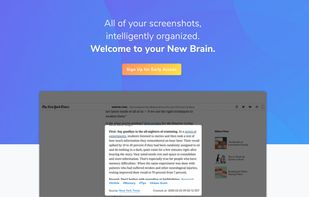
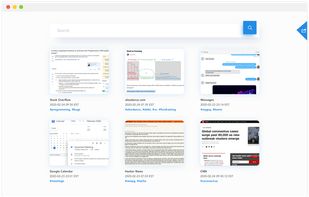
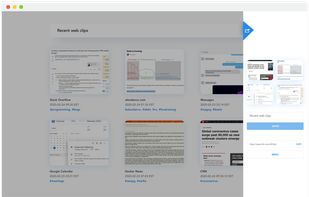
FlyScreen is a powerful screenshot manager for iOS. Search your screenshots, copy text and links, organize by tags, and more.


FlyScreen is the most popular iPhone & iPad alternative to Jet Screenshot.
- FlyScreen is Free and Proprietary
Jet Screenshot is described as 'Freeware utility enabling you to share screenshot via the internet in seconds. It allows you to take a screen snap, edit it and send it to the Web, so that you can immediately provide anyone with a link to the image' and is a screenshot capture tool in the photos & graphics category. There are more than 25 alternatives to Jet Screenshot for a variety of platforms, including Windows, Mac, Web-based, Google Chrome and Mozilla Firefox apps. The best Jet Screenshot alternative is Greenshot, which is both free and Open Source. Other great apps like Jet Screenshot are Lightshot, Evernote Web Clipper, Spectacle and Awesome Screenshot.
FlyScreen is a powerful screenshot manager for iOS. Search your screenshots, copy text and links, organize by tags, and more.


FlyScreen is the most popular iPhone & iPad alternative to Jet Screenshot.
Screenshot organization and smart search, for effortless memory retrieval. Categorized screenshots by keywords, topic, and source -- so that you can find the memory you're looking for.


Relephant is the most popular commercial alternative to Jet Screenshot.
An open source multi-platform screen capture and recording tool for simple "capture / annotate / share" workflow. Ginj was inspired by Jing (now discontinued), but although there are similarities in the way both tools behave, Ginj is not Jing.

Wise Shark Screenshot allows you to create a screenshot of your Android screens.


Wise Shark Screenshot is the most popular Android alternative to Jet Screenshot.
Free web and desktop application that enables quick screen grabs, easy URL-based sharing, and live, multi-person drawing and sketching.


Capture the web page, either part of it or full page. Edit your screenshots in a very user-friendly interface.


Make a screenshot, add your notes on top and share it instantly. Need to show some action? Record what you do, and share a GIF in a few seconds.

With Free Snipping Tool, not just you create snips, you can save your snips on major backup services like Imgur, Google Drive and Dropbox. Not just this you can also upload them via FTP or simple WebRequest.


Take screenshots in one click. Select region and screenshot is ready! Download Floomby for Free.


Glui is the simplest way to capture, annotate and share screenshots.
Key features: • Capture crosshair, window or fullscreen screenshots, or drag and drop existing images. • Annotate with arrow, rectangle, pen and text tool. • Instantly upload to .


InstantShot! offers classical screenshot functionality for capturing the whole screen, a portion of it or a window and also the option to make timed screenshots or to make delayed captures over time. It offers a wide range of preferences and options to fit everyone's needs.