iPDF2Merge Alternatives
iPDF2Merge is described as 'IPdf2Merge is a free online tool that merges pdf files into one file. Merged files are sorted by upload order or file name. Unlimited usage, no registration, and no Email' and is an website. There are more than 50 alternatives to iPDF2Merge, not only websites but also apps for a variety of platforms, including Windows, Linux, Mac and Flathub apps. The best iPDF2Merge alternative is PDF Arranger, which is both free and Open Source. Other great sites and apps similar to iPDF2Merge are PDF-XChange Editor, PDF24 Creator, PDFsam Basic and Adobe Acrobat DC.
Alternatives list
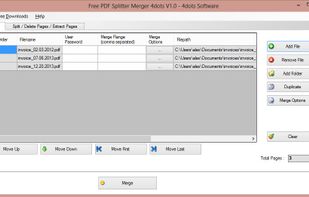
Free PDF Splitter Merger is a free and advanced application for splitting and merging PDF Documents and for extracting or deleting page from them. The application is simple to be used but it is also possible to set various complicated criteria.
Cost / License
- Free
- Proprietary
Platforms
- Windows


+1
Arduo PDF Merger is a simple program that can handle basic splitting and merging tasks. The program's interface is intuitive, with commonsense buttons for adding and removing files.
Cost / License
- Free
- Proprietary
Platforms
- Windows
File Splice is an easy to use app that will merge/impose PDF files (more file types on the map) in custom formats. You have the ability to create a layout in a few simple steps and input the page size, margins, bleed, spacing, and crop marks.
Cost / License
- Paid
- Proprietary
Platforms
- Software as a Service (SaaS)


Cost / License
- Free
- Proprietary
Platforms
- Online
- Self-Hosted
- Software as a Service (SaaS)


Your perfect tool for customized PDF documents.
- Merge PDFs effortlessly
- Delete individual pages and reorganize documents
- Sign and customize PDFs.


PDFs Split & Merge is a lightweight application for your Mac. It helps you Split, Merge and Unlock PDF files within seconds and it's all offline. We respect your privacy.


+2
PDF Mixer is a PDF page tool which mixes pages of 2 or more PDF files, add PDF pages into existing PDF files and save them to a new file. With this powerful tool, you can reorder, copy, rotate, delete, switch and merge pages in multiple PDFs easily.