
IntactFile
Browser-based tool repairs videos, photos, PDFs, Office docs, archives, and databases completely client-side using WebAssembly—no uploads, install, or accounts needed. Ensures privacy, labels partial recoveries, and supports multiple file formats and platforms.
Cost / License
- Freemium (Pay once or Subscription)
- Proprietary
Application types
Platforms
- Online
- Software as a Service (SaaS)
Features
Properties
- Lightweight
- Privacy focused
Features
- Photo Recovery
- No Tracking
- Recover Corrupted Files
- No registration required
- Browser-based
IntactFile News & Activities
Recent activities
SoftOrbits added IntactFile as alternative to Picture Doctor- Danilo_Venom updated IntactFile
- intactfile added IntactFile
intactfile added IntactFile as alternative to Wondershare Repairit, Stellar Repair for Photo, 4DDiG File Repair and JPEG Repair Shop
IntactFile information
What is IntactFile?
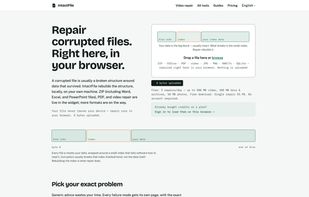
IntactFile repairs corrupted files directly inside your web browser. There is nothing to install and nothing to upload: the repair engine runs locally on your device using WebAssembly and JavaScript, so your file never leaves your computer (0 bytes uploaded). You can confirm this yourself in the browser's Network tab.
Most file "corruption" isn't lost data — it's a broken index or header: the small map that tells software how to read the bytes. IntactFile parses what's still intact and rebuilds that structure, which is the same parsing-and-rebuilding work a server-side tool does, only performed in your browser tab instead of on someone else's server.
What it repairs: • Video — MP4, MOV, MKV, WebM (remux + index rebuild; can reconstruct a missing index from a healthy same-camera reference clip). AVI is diagnosis-only. • Photos & images — JPEG, PNG, HEIC, AVIF, PSD and camera RAW. • Archives — ZIP, RAR, 7z (per-entry salvage, recovered files bundled into a fresh ZIP). • Documents — Word (DOCX), Excel (XLSX), PowerPoint (PPTX) and PDF. • Databases — SQLite (.db/.sqlite), with optional -WAL sidecar.
Why people use it: • Total privacy — everything is client-side, so it's safe for confidential or sensitive files. No account needed to start. • No upload wait — no multi-gigabyte upload/download round trip; the file is read straight from your disk. • Cross-platform — works on any modern browser (Windows, macOS, Linux, Chromebook), no software to install. • Honest results — it tells you what it can and can't fix, labels partial recoveries as partial, and never presents a thumbnail as the full photo.
Pricing: freemium. A free tier repairs files up to 500 MB (video) / 100 MB (documents, archives, databases) / 50 MB (photos) with a small daily limit. Paid options are pay-per-repair or annual plans; purchased credits never expire.


