





InkCraft
1 like
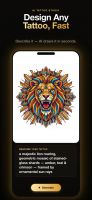
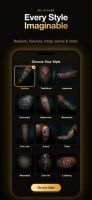
Free virtual tattoo try-on for web and iPhone — upload a photo and see any design on your own skin in seconds, with no signup or download needed in the browser.



+3

Cost / License
- Freemium (Subscription)
- Proprietary
Application type
Platforms
- Online
- iPhone
- iPad

Features
InkCraft News & Activities
Highlights All activities
Recent activities
 Simon Turkovic added InkCraft as alternative to Stencil AI
- Uladzimir-Tumanau liked InkCraft
- Uladzimir-Tumanau added InkCraft
- Mauricio B. Holguin updated InkCraft
 Uladzimir-Tumanau added InkCraft as alternative to InkHunter, Try Tattoo 3D and Tattoo Cam


InkCraft information
Developed by
 Uladzimir Tumanau
 Licensing
Proprietary and Freemium product.Pricing
Subscription ranging between $8 and $50 per month + free version with limited functionality.Alternatives
4 alternatives listedBadge
Get an embeddable badge for InkCraftSupported Languages
AlternativeTo Categories
Photos & Graphics, Online ServicesApple AppStore
- Updated
- 5 avg rating


No comments or reviews, maybe you want to be first?