InerziaMode icon
InerziaMode icon

InerziaMode

 1 like

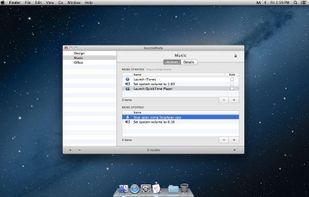
Why would you need another software to launch your applications? Because InerziaMode is not only that: it is a revolutionary launcher! Create and configure modes, a set of applications and actions to be performed automatically when the mode is launched.
InerziaMode screenshot 1

Cost / License

  • Freemium
  • Proprietary

Since

  • Since 2013

Platforms

  • Mac
InerziaMode screenshot 1
InerziaMode screenshot 2
Alternatives
1like
0alternatives
0articles
Save

Features

Features

Highlights All activities

InerziaMode News & Activities

Recent activities

No activities found.

InerziaMode information

AlternativeTo Category

OS & Utilities
InerziaMode was added to AlternativeTo by InerziaSoft on and this page was last updated .

No comments or reviews, maybe you want to be first?

Official Links

What is InerziaMode?

Why would you need another software to launch your applications? Because InerziaMode is not only that: it is a revolutionary launcher! Create and configure modes, a set of applications and actions to be performed automatically when the mode is launched. With just one click, you can configure your Mac for different workspaces.

Key features:

• Create, configure and manage unlimited modes.

• Each mode can contain applications and actions, differently configured for mode start and stop.

• Add actions to: open applications, documents and web pages or change screen brightness and system volume.

• Change the execution order of each operation by dragging and dropping to the desired position.

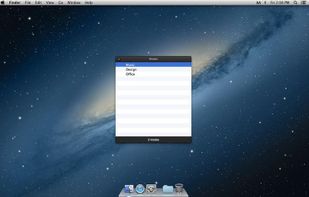
• Open with a shortcut the modes list to start and stop them.

• Customize the InerziaMode behavior when quitting with modes running.

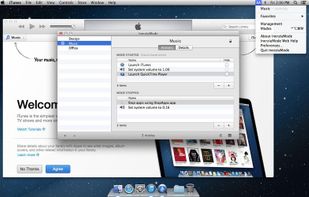
• Insert the most used modes in the Favorites menu.

You can add InerziaMode to the login items using the "Users & Groups" pane in System Preferences.

PLEASE NOTE: InerziaMode is configured to run as a background application, so it does not have a Dock icon. To access to its features, click on the black "M" icon in the right part of the menu bar.