InboxFox is a native macOS SMTP email tester for developers and their coding agents. Point your app at localhost:1025 and every message appears instantly, without sending anything to a real inbox. Inspect rendered HTML, plain text, full headers, raw source, and attachments, and preview messages at phone, tablet, or desktop widths. Automated checks flag potential deliverability, compatibility, and accessibility problems.
Organize mail with search and tags, and route different SMTP usernames into separate mailboxes. A Mailpit-compatible HTTP API works with existing test harnesses, while the built-in MCP server gives coding agents 17 tools to read, search, tag, send, check, delete, and wait for matching messages. Messages stay on disk, with no cloud account or outgoing mail relay.
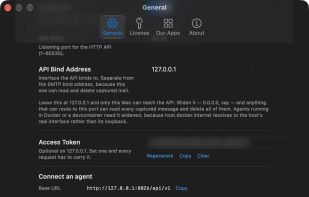
Try every feature free for 14 days. Unlimited email capture in a single inbox remains free forever. A one-time $9.99 license for 3 Macs unlocks multiple mailboxes, custom ports and bind addresses, and the HTTP API and MCP server.
Key features
• Local SMTP capture — Catch development email instantly on localhost:1025 without sending to real inboxes.
• Message views — Inspect rendered HTML, plain text, full headers, and raw RFC822 source.
• Responsive previews — Check email layouts at phone, tablet, and desktop widths.
• Attachment inspection — Parse multipart MIME and preview extracted attachments with Quick Look.
• Quality checks — Flag potential deliverability, compatibility, and accessibility problems.
• Mailboxes per username — Route each authenticated SMTP username into its own mailbox.
• Search and tags — Find and organize messages across inboxes from the app or API.
• Mailpit-compatible API — Reuse email test harnesses and agent integrations by changing the base URL.
• Built-in MCP — Give agents 17 tools to inspect, search, tag, send, check, and delete test mail.
• Wait for mail — Let an agent wait for a matching message without repeated polling.







 Skulkworks

No comments or reviews, maybe you want to be first?