
iClock icon
iClock icon

iClock

 Like

iClock is an ultra-lightweight, zero-dependency desktop floating countdown timer engineered for deep work and uninterrupted productivity on Windows.
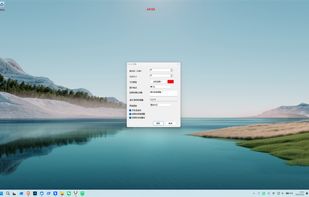
iClock screenshot 1

Cost / License

  • Free
  • Open Source (MIT)

Platforms

  • Windows
0likes
0articles
Save

Features

No features, maybe you want to suggest one?

Highlights All activities

iClock News & Activities

Recent activities

iClock information

GitHub repository

  •  1 Stars
  •  0 Forks
  •  0 Open Issues
  •   Updated  
View on GitHub
iClock was added to AlternativeTo by francodeyvison183-collab on and this page was last updated .

No comments or reviews, maybe you want to be first?

What is iClock?

iClock is an ultra-lightweight, zero-dependency desktop floating countdown timer engineered for deep work and uninterrupted productivity on Windows.

Unlike bloated 100MB+ Electron-based timers, iClock is built with pure native Windows C# and GDI+ rendering. The single executable file is only 126 KB and uses under 15 MB of RAM, delivering 0.0% CPU overhead with 0 heap allocations per second during countdown.

Key Features:

  • Transparent & Full Click-Through: Clean countdown numbers float naturally on your desktop. Using the native Windows WS_EX_TRANSPARENT style, mouse clicks pass straight through to underlying IDEs, games, or documents without stealing focus.
  • Ultra-Lightweight (126 KB): Standalone single-file executable. No installation, no heavy runtimes, no dependencies, no registry junk.
  • Global Hotkey Control: Toggle start/pause seamlessly with Ctrl + Alt + Space without leaving your current workspace.
  • TopMost Confirmation Alert: When the countdown finishes, the overlay hides cleanly, displaying a persistent top-most dialog with chime alerts requiring acknowledgment.
  • 100% Offline & Private: Zero network calls, zero tracking, and zero telemetry. All settings and history logs (clean daily TSV format) are stored locally in %APPDATA%\iClock.
  • Easy Package Manager Installation: Supports both Windows Package Manager (winget install FrancoDeyvison.iClock) and Scoop (scoop install ...).
  • Bilingual Interface: Easily switch between English and Simplified Chinese.