HWMonitor Alternatives

HWMonitor is described as 'For Windows® x86/x64 is a hardware monitoring program that reads PC system's main health sensors : voltages, temperatures, powers, currents, fans speed, utilization, clock speeds…' and is a very popular system information utility in the system & hardware category. There are more than 25 alternatives to HWMonitor for a variety of platforms, including Windows, Linux, Mac, iPhone and iPad apps. The best HWMonitor alternative is HWiNFO (32/64). It's not free, so if you're looking for a free alternative, you could try HWiNFO (32/64) or Open Hardware Monitor. Other great apps like HWMonitor are AIDA64, Sidebar Diagnostics, Core Temp and hwinfo.

Copy a direct link to this comment to your clipboard
HWMonitor alternatives page was last updated

Alternatives list

  1. HWRadar icon
     Like

    Delivers real-time insights on CPU, GPU, and memory performance using a customizable interface with over 40 themes, docking panels, and various export formats including PNG, PDF, CSV, DOC, and HTML. Features diverse CPU charts and visualization options for detailed analysis.

    Cost / License

    • Free
    • Proprietary

    Application type

    Alerts

    • Discontinued

    Platforms

    • Windows
     
  2. Intel® Power Gadget is a software-based power estimation tool enabled for 2nd Generation Intel® Core™ processors or newer. It provides real-time processor package power information in watts using energy counters.

    Cost / License

    • Free
    • Proprietary

    Platforms

    • Mac
    • Windows
     
  3. Hardware sensors monitor utilizes sensor chips on smart motherboards to track system and CPU core temperatures, voltages and cooling fans. By quickly catching an overheated computer, you can prevent disasters such as system instability or damage.

    Cost / License

    • Paid
    • Proprietary

    Platforms

    • Windows
     
  4.  2 likes

    EasyTune presents a convenient, Windows-based system performance enhancement and management utility. It features tools such as:

    Cost / License

    • Free
    • Proprietary

    Platforms

    • Windows
     
  5. Temperature Monitor is an application to read out all accessible temperature sensors in Macintosh computers. The program can visualize the history graphs of the readings, display measured values in a large variety of fashions, or announce readings by speech output.

    Cost / License

    • Freemium
    • Proprietary

    Alerts

    • Discontinued

    Platforms

    • Mac
     
  6. Real Temp icon
     20 likes

    Continuously monitors and logs temperatures from Intel Core single, dual, quad, and i7 CPUs using digital sensors, supports per-core calibration, benchmarking, and logging, offers high temperature alarms and auto shutdown, and operates as a portable utility with no installation.

    Cost / License

    • Free
    • Proprietary

    Application type

    Alerts

    • Discontinued

    Platforms

    • Windows
     
  7. VRAM Shield icon
     2 likes

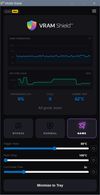
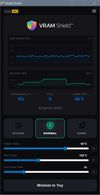
    Automates laptop GPU Memory Junction thermal management for intense workloads by micro-suspending CUDA and DirectX processes, monitoring VRAM sensors, enabling custom pulse-based throttling, and allowing real-time telemetry, panic triggers, and distraction-free operation.

    Cost / License

    • Freemium
    • Proprietary

    Alerts

    • Warning

    Platforms

    • Windows
     
  8. Linpack is a benchmark and the most aggressive stress testing software available today. Best used to test stability of overclocked PCs. Linpack tends to crash unstable PCs in a shorter period of time compared to other stress testing applications.

    Cost / License

    • Free
    • Proprietary

    Platforms

    • Windows
    • Linux
     
  9. A free, simple and lightweight app for monitoring memory timings on Ryzen platform.

    Cost / License

    Platforms

    • Windows
     
  10. This compact utility displays real-time CPU, RAM and disk drives usage meters right on the taskbar notification area, or next to the system clock, that is always visible.

    Cost / License

    • Free
    • Proprietary

    Platforms

    • Windows
     
  11. Pitikapp icon
     1 like

    Pitikapp provides highly customizable modules to monitor your computer and to interact with it.

    18 Pitikapp alternatives

    Cost / License

    • Free
    • Proprietary

    Platforms

    • Windows
    • Android
    • iPhone
    • iPad
     
You are at page 2 of HWMonitor alternatives