





Home Remote - Activator for Mac
Like
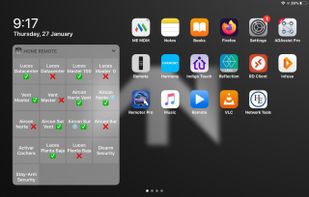
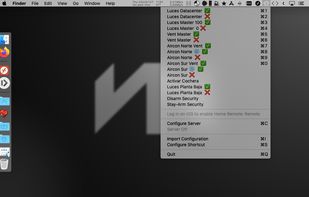
Adds menu bar shortcuts for multi-protocol home automation commands added through the Home Remote app in iOS. It also serves as bridge to remotely connect a roaming Home Remote iOS or macOS app to your local network to send these commands.

Cost / License
- Pay once
- Proprietary
Platforms
- Mac


Add Alternatives

0likes
0alternatives
0articles

Comments and Reviews
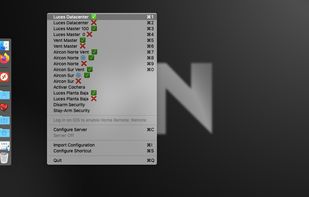
It cannot do anything on its own, entries must be added through its iOS counterpart (sold separately) which makes data entry really cumbersome. When Indigo is used as the controller, it makes relationships by name — not by ID — which means that changing the name of something in Indigo would break the entry. On the other hand if Indigo's hostname is changed (which would break all entries) it's smart enough to relink them if the new hostname is set in the app's defaults, unfortunately entries must be still updated individually by tapping on an update button two levels down from the main screen. That said, despite its many shortcommings it's extremely light and lets you assign any shortcut to bring up the menu at any screen, the first 10 have a second shortcut assigned (I use ⌘¡ [es] equiv of ⌘= [en-US]), you can use your arrow keys (+fn key to skip fast) for others and even when in apps that would "steal" your keyboard you can count of "shutting down downstairs" or whatever with a couple of keystrokes which is much more powerful that it sounds.
I think most protocols use some form for REST API calls, which would make this what, a REST client? IDK. I've been looking for a Windows and Linux replacement which should be hard if I knew what this thing is. Dev is MIA and the Mac is fully locked down now, so it's kind of urgent.