



HighlightMe
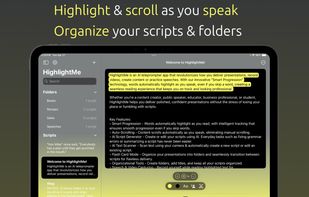
HighlightMe uses Smart Progression technology to automatically highlight and scroll your script in real time, even if you skip words - making your delivery smooth, natural, and professional.

Cost / License
- Freemium (Subscription)
- Proprietary
Platforms
- iPhone
- iPad

HighlightMe
Features
- Ad-free
- Support for 4K
- Dark Mode
- Record videos
- Audio Recording
- AI-Powered
HighlightMe News & Activities
Recent activities
- gintechsystems added HighlightMe
HighlightMe information
What is HighlightMe?
Deliver confident, polished presentations with HighlightMe — the teleprompter app that scrolls and highlights as you speak.
HighlightMe uses Smart Progression technology to automatically highlight and scroll your script in real time, even if you skip words - making your delivery smooth, natural, and professional. Perfect for content creators, influencers, public speakers, journalists, educators, students, and professionals.
Whether you're recording videos, practicing speeches, or delivering live presentations, HighlightMe keeps you on track—hands-free and stress-free.
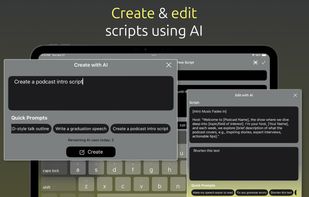
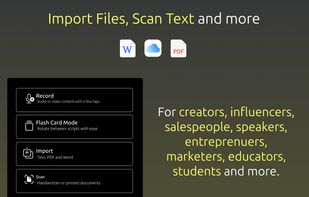
Key Features:
• Smart Progression – Real-time word tracking that highlights and scrolls your script as you speak - even with skipped words. • Auto-Scrolling – Like old-school timed scrolling? We still got you. • AI Script Generator – Use AI to create or edit scripts, fix grammar, summarize, and more. • AI Text Scanner – Scan physical text with your camera to quickly create scripts. Add optional AI instructions to keep specific text. • Flash Card Mode – Switch between scripts smoothly for multi-part presentations. • Script Organizer – Use folders and custom titles to keep scripts neat and accessible. • Audio & Video Recording – Capture yourself while speaking scripts for professional results. • Customizable Display – Adjust highlight color, text color, font, and size to suit your needs. • File Import – Bring in scripts from PDF, Word, or text files. • Voice Playback – Listen to your script read aloud with customizable speed and voice options.
